For better accessibility and to enter new markets, many e-commerce site owners want to add multilingual functionality to their websites. However, with so many multilingual plugins available, which one is right for your site and business? Don’t worry! In this article, I’ll walk you through the seven best WordPress translation plugins. Whether you want automatic, manual, or professional translation, these plugins have you covered.
1. Weglot
Weglot is one of the most popular multilingual plugins for WordPress, offering immense flexibility for translating your site. Depending on your budget and accuracy requirements, Weglot provides three simple ways to translate your website:
- Machine Translation: The fastest and simplest method. However, since it’s automated, you can’t always guarantee 100% accuracy.
- Manual Translation: Use cloud-based .po files or a visual editor to translate your site. This is effective if you know the language, though it can be time-consuming.
- Professional Translation: Easily hire professionals to translate your content. Once completed, the translated content is automatically added to your site’s multilingual versions. While more expensive, it’s accurate and saves you time.
Weglot’s interface is incredibly user-friendly, and all translations are optimized for search engines. In terms of ease of use, Weglot is definitely at the top of this list. However, it has two drawbacks:
- If you need the premium version, it requires a monthly subscription rather than a one-time payment.
- You must use Weglot’s cloud interface for translations. While this works well for many, some users prefer to stay within the WordPress dashboard.
Pricing: Free for up to 2,000 words. Paid plans start at €9.90 per month.
2. WPML
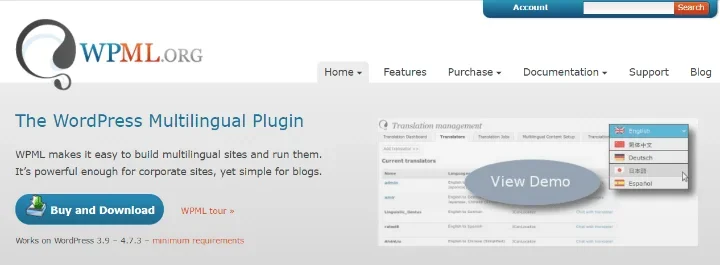
WPML (WordPress Multilingual) is one of the industry’s veterans. It has been around since 2009 and is consistently updated with new features.
Like other top-tier solutions, it can translate every string on your WordPress site, including custom post types, taxonomies, menus, theme text—everything.
If you don’t want to translate manually, WPML can connect to professional translation services, making it easy to integrate high-quality translations into your workflow.
So far, this sounds standard. But things get much more interesting with the WPML Multilingual CMS package.
You can add new WordPress users and assign them the “Translator” role. These users can then submit translations, effectively allowing you to crowdsource your site’s localization with the right incentives.
This version also integrates seamlessly with e-commerce solutions like WooCommerce to create fully multilingual stores.
However, WPML has a few downsides:
- There is no free version available.
- It historically lacked a robust machine translation solution, though this has improved. In 2025, with AI translation matching human quality, this is a key factor to consider.
Pricing: Multilingual Blog version starts at $25. The Multilingual CMS version (the most powerful one!) is $79.
3. Polylang
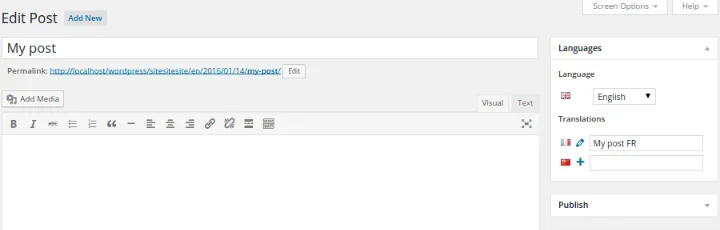
Polylang is another popular choice. It’s lightweight and easy to use, though its out-of-the-box feature set isn’t quite as extensive as the previous options without some setup.
It adds a language switcher to the WordPress post editor, allowing you to create different versions of an article (essentially separate posts linked as translations) for each language.
You can also translate global strings—like the site title, date formats, and other global options—directly through the Polylang interface.
So far, so good. However, by default, you must handle all translations manually. If you want machine or professional translation integration, you’ll need the Lingotek plugin as an add-on. Lingotek allows you to manage and sync automated and professional translations with Polylang.
Polylang is a solid choice because its free version is sufficient for a basic multilingual site without language limits. The Pro version, priced at roughly $99/year, offers more advanced features. While the interface isn’t as sleek as Weglot’s, it’s very effective once you get the hang of it.
Pricing: Free version available; Pro plans from $99/year.
4. qTranslate X
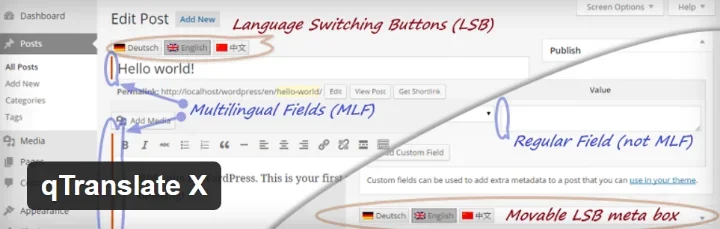
With over 100,000 active installs and a 4.8-star rating, qTranslate X deserves its spot on this list.
Like Polylang, it adds language fields to the WordPress editor for quick translation creation. It also supports SEO-friendly URLs and integrates with Yoast SEO to generate language-specific sitemaps.
Honestly, it’s a decent solution. However, there aren’t many reasons to choose it over Polylang, as Polylang generally performs better and has fewer drawbacks. Key missing features in qTranslate X include:
- No synchronization with external translation services.
- Fewer options for translating global strings across the site.
I include it here because it’s free and undeniably popular, but for a free solution, Polylang is usually the better bet.
Pricing: Free
5. TranslatePress
TranslatePress is a newer option that sits somewhere between Weglot and Polylang/WPML.
Like Weglot, it supports both manual and automatic translation (via Google Translate API or DeepL in the premium version).
What sets it apart is its user-friendly visual editor based on the native WordPress Customizer. You can simply click on a text string in the live preview and edit the translation directly—just like using a page builder.
Unlike Weglot, TranslatePress is 100% self-hosted. Your translations are stored in your own database, and you don’t have to worry about monthly fees for your word count. It follows the traditional WordPress plugin pricing model.
Pricing: Limited free version; Pro plans start around €79.
6. MultilingualPress
MultilingualPress takes a unique approach by using WordPress Multisite. Instead of translating content within a single site, it creates separate site instances for each language and then links them together.
The benefit? If you ever deactivate the plugin, your content remains intact as separate sites. There’s zero “lock-in” compared to other plugins where deactivation might hide or break translations. It’s also great for SEO, as each language has its own distinct site and database structure.
While this approach might seem complex for beginners, it offers incredible flexibility for experienced WordPress developers.
Pricing: Free; Premium support plans available.
7. Google Language Translator
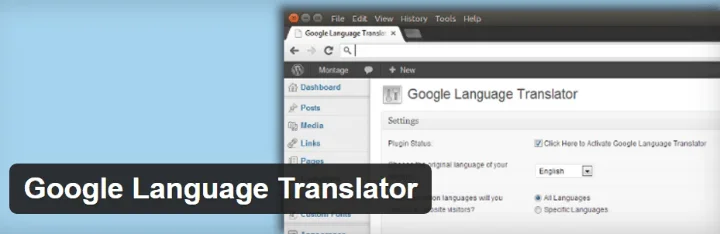
Finally, there’s Google Language Translator. It’s much simpler than the other options and does just one thing: adds the Google Translate tool to your site via a shortcode or widget.
While it’s super lightweight, it’s not SEO-friendly because the translations aren’t indexed as separate content. Use this if you need a quick, no-cost way to make your site readable in other languages without a full localization project.
Pricing: Free
Which WordPress Translation Plugin Should You Choose?
If you have the budget to invest in the best user experience, Weglot is probably your best choice. It offers the most flexibility, excellent SEO support, and its visual interface is a joy to use. The only downside is the monthly subscription model.
TranslatePress is a fantastic alternative that offers a similar visual editing experience but remains self-hosted with traditional pricing.
If you are looking to save money, Polylang is your go-to. Its interface might be a bit more basic, but it can handle everything you need for a multilingual site for free (unless you need advanced features from the Pro version or Lingotek integration).
Have you used any of these translation plugins? Which one is your favorite? Let us know!