Even in 2025, despite the impact of Artificial Intelligence, Search Engine Optimization (SEO) remains crucial for any website looking to maximize traffic and brand awareness. Most website owners seek out SEO tools to help them navigate this complex field. WordPress users have the added advantage of installing plugins to automate various SEO tasks. The real challenge lies in choosing the most valuable tools to achieve your specific SEO goals.
In this article, I will introduce eight of the best SEO tools I’ve used, including top-tier WordPress plugins. We’ll conclude with a summary table, answer some frequently asked questions, and provide advice on how to choose the right plugin for your needs.
What Should You Look for in SEO Tools and WordPress Plugins?
While it would be convenient to have a single, universal “magic” SEO tool, that’s simply not realistic. When choosing SEO tools and plugins, you should consider two main aspects:
- Focus of the Tool: Different tools cover different areas. For instance, some specialize in managing 301 redirects, while others focus on deep keyword research. You need to find tools that align with your specific objectives.
- Quality of the Solution. Once you’ve shortlisted potential tools, you must ensure they are high-quality solutions. The best way to do this is by combining several evaluation methods.
Regarding quality, consider user reviews (ratings and feedback) to understand real-world performance. Furthermore, check how frequently the developers update the tool; regular updates indicate a high level of commitment to maintenance and security.
8 Best SEO Tools and WordPress Plugins to Help You Succeed
Let’s dive into our list of eight essential SEO tools. Note that these are presented in no particular order initially; we’ll provide a ranked summary later.
1. Semrush
Keyword research is the foundation of SEO. Without it, your content lacks direction and topical focus—something search engines value highly. Semrush is widely regarded as one of the best keyword research tools available.
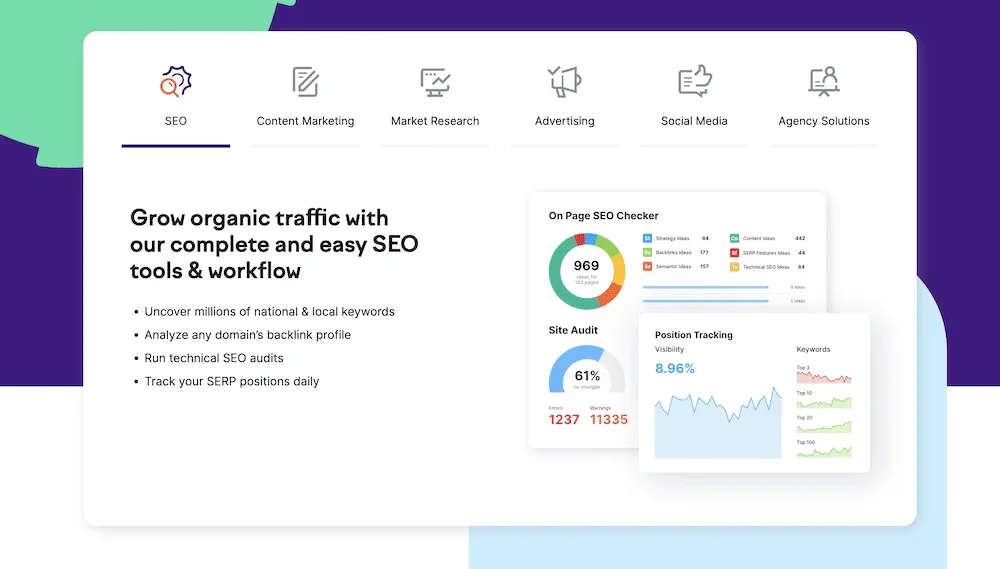
Semrush is actually a comprehensive suite of over 55 different tools. Beyond keyword research, it offers competitor analysis, market research, on-page SEO audits, and much more. It provides almost everything you need for a successful SEO strategy.
| Pros | Cons |
|---|---|
| Provides nearly all tools needed for complete SEO | Cost can be high for small businesses |
| Top-tier keyword research capabilities | The sheer volume of tools can be overwhelming |
| Comprehensive competitor insights | The WordPress plugin has received mixed reviews |
Pricing: Semrush offers three premium tiers starting at $129.95 per month, with each level unlocking more features.
2. Rank Math
Rank Math is the first direct WordPress SEO plugin on our list. It allows you to optimize your posts and pages directly within the WordPress dashboard using a wide array of tools. While its on-page SEO features are exceptional, it offers much more for your entire site.

For example, you can preview how your content will appear on Google SERPs and social media platforms directly within the block editor. It also integrates with Google Search Console, allowing you to track valuable metrics without leaving your site.
| Pros | Cons |
|---|---|
| Excellent on-page analysis in the block editor sidebar | The full suite might be too complex for simple needs |
| Feature-rich even in the free version | |
| Includes Content AI for optimized writing |
Pricing: The core Rank Math plugin is free. Premium subscriptions start at $5.75 per month, offering more keyword tracking and a dedicated Schema generator.
3. Yoast SEO
Yoast SEO is the go-to choice for millions of WordPress users. As a pioneer in the industry, it uses a simple “traffic light” system to quickly highlight the quality of your SEO and areas needing improvement.

Yoast SEO provides detailed settings for every page type, alongside features like XML sitemaps, SEO-friendly breadcrumbs, and dedicated blocks for FAQs and “How-to” guides. It’s so comprehensive that you might not need any other SEO tools once it’s installed.
| Pros | Cons |
|---|---|
| Arguably the best free SEO plugin on the market | Some users find the premium version’s ads intrusive |
| The traffic light system is perfect for efficiency | Occasional bugs reported during major updates |
| Valuable readability metrics not found elsewhere |
Pricing: The free version is sufficient for most users. The Premium version costs $99 per year and adds advanced analysis and social media previews.
4. Mangools
If Semrush isn’t the right fit, Mangools is an excellent alternative known for its ease of use and great value. It’s a suite of tools focusing on keyword research, backlink analysis, and SERP tracking.

The keyword research tool (KWFinder) is particularly impressive, providing difficulty scores, CPC, search volume, and other key metrics on a single, easy-to-read page. You can even see which other sites are ranking for your target keywords.
| Pros | Cons |
|---|---|
| Excellent price-to-quality ratio compared to competitors | The lowest pricing tier can feel restrictive |
| Intuitive interface with powerful features | The app can be frustrating when you reach plan limits |
Pricing: Plans start at $29 per month. Higher tiers offer more keyword lookups, suggestions, and site audits.
5. All In One SEO (AIOSEO)
Similar to Yoast, All In One SEO (AIOSEO) is an all-encompassing solution. It provides detailed content and site analysis, along with readability scores for every post and page. It has a slightly different approach and “feel” compared to its direct competitors.
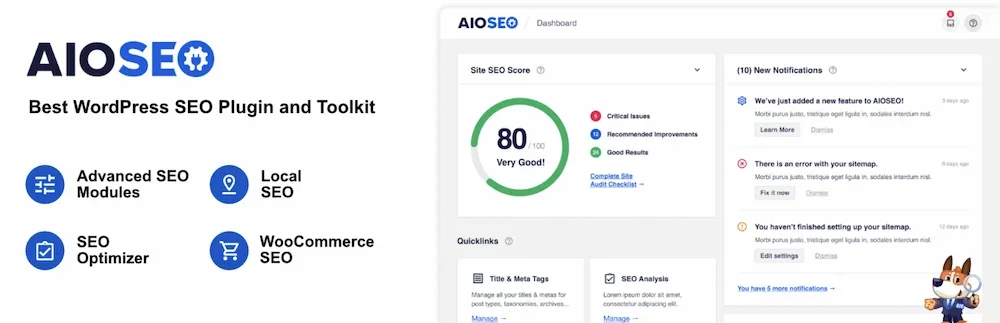
AIOSEO includes essential webmaster tools, such as XML sitemaps, and offers various custom blocks. You can easily generate Tables of Contents, FAQ sections, and local business information. It’s a robust competitor in the WordPress SEO space.
| Pros | Cons |
|---|---|
| Excellent data import from other SEO plugins | Premium version is more expensive than some rivals |
| Comprehensive feature set can replace multiple plugins | The free version lacks many of the advanced features |
Pricing: Starting at $124 per year (with frequent sales), AIOSEO offers advanced sitemaps, ChatGPT-powered metadata generation, and a internal link manager.
6. Link Whisper
Internal linking is a vital aspect of SEO that is often overlooked. Link Whisper is a dedicated tool that analyzes your site’s internal link structure and provides automated suggestions for improvement.

Its standout feature is “Smart” linking, which suggests relevant internal links as you write, significantly speeding up the process. It can also help you build links for specific pages based on your target keywords.
| Pros | Cons |
|---|---|
| Free version is quite capable for basic needs | Premium version can feel expensive for what it does |
| Smart and automatic link features save a lot of time | Mostly beneficial for larger sites with lots of content |
Pricing: A free version is available on WordPress.org, while the Premium version starts at $77 per year.
7. PageSpeed Insights
While many tools measure performance, Google’s PageSpeed Insights is arguably the only one you truly need. It provides a technical breakdown of your site’s performance, allowing you to implement optimizations that directly impact SERP rankings.
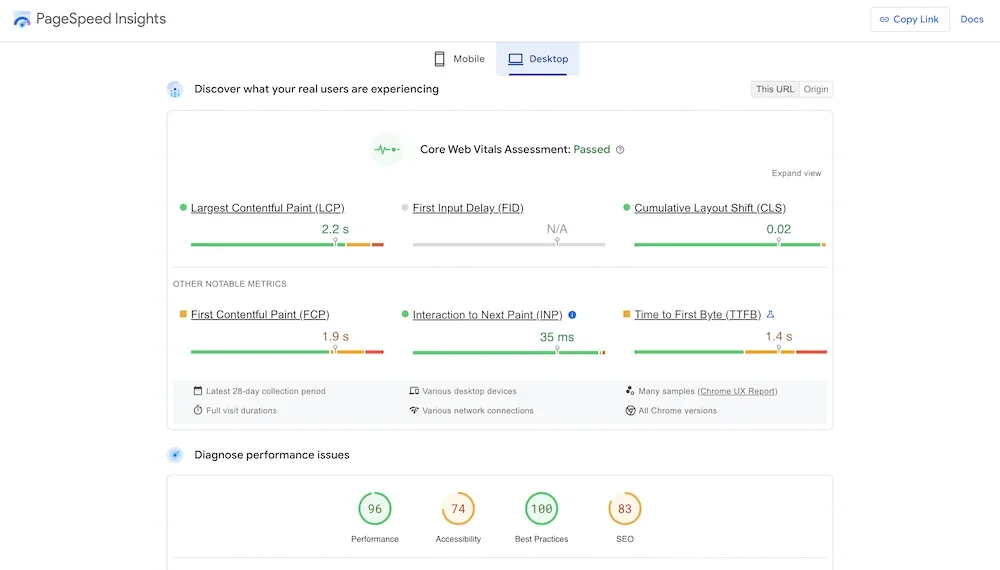
The tool is simple to use: enter a URL and wait for the report. It focuses on Core Web Vitals—the key metrics that determine your site’s speed and user experience. Since it comes directly from Google, it’s the closest view you can get into how search engines evaluate your site’s performance.
| Pros | Cons |
|---|---|
| Completely free to use | Doesn’t fix the issues for you; you have to do the work |
| Metrics have direct value for SEO rankings | Fixing technical warnings might require developer skills |
| Integrates with many other apps and services |
Pricing: PageSpeed Insights is entirely free to use.
8. Pretty Links
Affiliate links are an SEO consideration because they often use your brand’s domain. Pretty Links allows you to clean up and “beautify” these links, though it’s useful for much more than just affiliate marketing.
The concept is simple: it shorten URLs so they fit better in character-limited spaces like social media bios. Unlike third-party services like Bitly, Pretty Links lets you manage short links using your own domain. It also tracking functionality, with results visible directly in your WordPress dashboard.
| Pros | Cons |
|---|---|
| Very convenient for specific marketing needs | Premium version can be expensive for casual users |
| Super simple to create and track “pretty” links |
Pricing: The core plugin is free. Premium plans start at $199 per year and include automation and advanced redirection features.
Summary: The 8 Best SEO Tools and WordPress Plugins
To summarize, here’s a quick table comparing each tool on our list. We’ve included rankings as a rough estimate of their importance in a balanced SEO strategy.
| Rank | Tool Name | Core Focus | Free Version? | Premium Price (Start) |
|---|---|---|---|---|
| 🏅 | Yoast SEO | On-page WordPress SEO | Yes | $99 / year |
| 🥈 | PageSpeed Insights | Performance Optimization | Free | Free |
| 🥉 | Semrush | Keywords & Competitors | Free | $129.95 / month |
| 4 | Mangools | Keywords & Competitors | Yes | $29 / month |
| 5 | AIO SEO | On-page WordPress SEO | Yes | $124 / year |
| 6 | Rank Math | On-page WordPress SEO | Yes | $5.75 / month |
| 7 | Link Whisper | Automated Internal Linking | Yes | $77 / year |
| 8 | Pretty Links | Branded Short URLs | Yes | $199 / year |
While we’ve ranked them, in reality, you will use these tools for different purposes. Choosing the right combination based on your specific needs will yield the best results for your site’s overall visibility.
Frequently Asked Questions
Final Thoughts
SEO is essential for almost every website. If organic traffic is a priority for your project, optimization should be at the top of your list. This means choosing the right SEO tools to support your efforts.
Every site needs a way to find keywords (like Semrush or Mangools) and then optimize on-page settings (Rank Math, Yoast SEO, or AIOSEO). PageSpeed Insights is the premier way to understand your technical performance. From there, you can add specialized tools to manage redirects, create branded links, and more.
Which of these SEO tools do you consider essential for every website? Let us know in the comments below!