WooCommerce is a true out-of-the-box B2C ecommerce solution for WordPress. With a WooCommerce-compatible theme and a bit of dashboard configuration, a site owner can publish products and start selling online quickly.
WooCommerce already includes a basic front-end account area where users can manage shipping addresses, view orders, and change passwords. For a simple store, those basics are often enough.
But we can also add custom features to WooCommerce to improve retention and increase conversions. For example, a points system can reward users for completing orders or leaving reviews, and those points can then be exchanged for gifts or used as discounts.
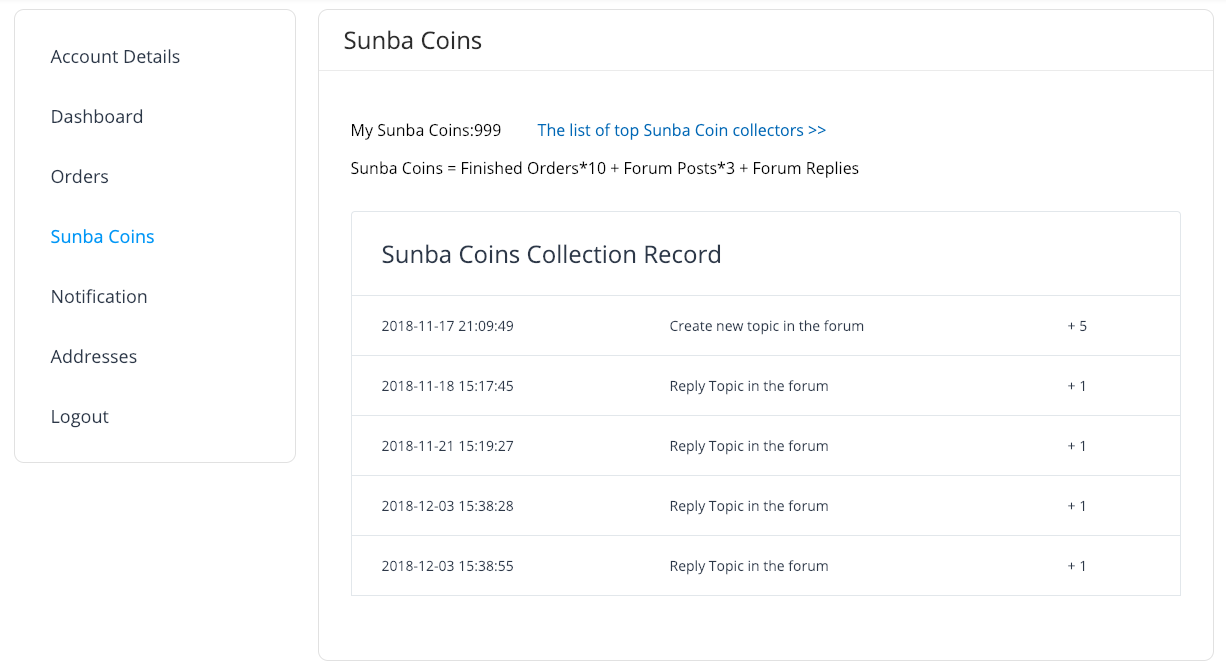
To make those kinds of features usable, it helps to add custom pages to the My Account area so users can see their benefits and activity. The screenshot below shows a points-collection page added for a client project.
Here is the basic process for adding a custom page to the WooCommerce account area.
1. Add a link to the My Account menu
WooCommerce provides the woocommerce_account_menu_items hook. We can use it to insert a custom link into the My Account navigation.
add_filter( 'woocommerce_account_menu_items', function ( $menu_links ) {
    $menu_links = array_slice( $menu_links, 0, 5, true )
        + [ 'points' => 'My Points' ]
        + array_slice( $menu_links, 5, null, true );

    return $menu_links;
} );
2. Register a custom endpoint
After the menu link is added, WordPress still needs to know that the new URL represents a custom account page. That is done by registering a rewrite endpoint.
add_action( 'init', function () {
    add_rewrite_endpoint( 'points', EP_PAGES );
} );
3. Output the content for the custom account page
This is the most important part, because this is where the custom feature actually becomes useful to the user. Here you can show points, rewards, progress, or any other account-specific data.
The hook name is woocommerce_account_{ENDPOINT_NAME}_endpoint. In this example, the endpoint name is points, so the hook becomes woocommerce_account_points_endpoint.
add_action( 'woocommerce_account_points_endpoint', function () {
    echo 'Display the custom account page content here.';
} );
In a real project, that callback would usually fetch data from the database and render it using the site’s own UI system. Every points system or custom marketing workflow is different, so the exact implementation will vary.
And this same idea is not limited to front-end account pages. When needed, WooCommerce can also be extended with back-end or callback pages through APIs such as woocommerce_api_(action), which is the same sort of mechanism many payment gateways rely on.