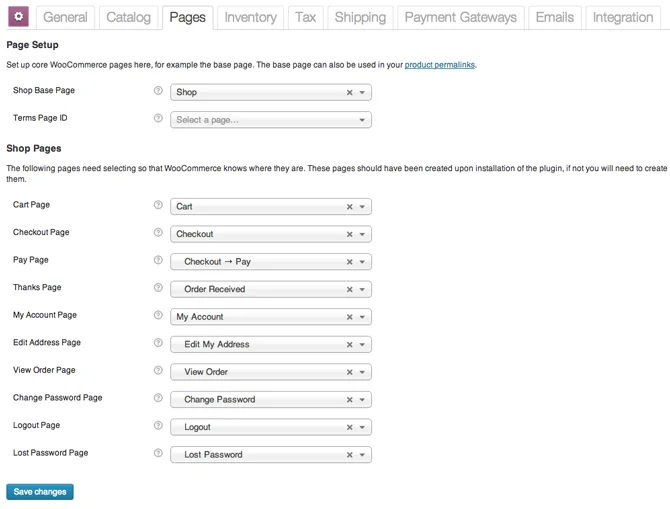
When developing WooCommece themes or plug-ins, we often need to set some data. For example, when making a payment plug-in, we need to save some data from the payment gateway to the database. At this time, we need to use the WooCommerce settings interface to add some setting options to the plug-in. The WooCommerce settings API is very simple to use, and is very similar to our commonly used WordPress field plug-ins. The entire setting options of WooCommerce are implemented through the setting API. Let’s take a look at how to use itWooCommerceSettings API adds setting options.
Define form fields
We can define setting option fields in the class constructor using the init_form_fields method:
$this->init_form_fields();Before loading the setting, we must have defined the setting. The code example for defining the setting is as follows. We only need to set oneform_fieldsAn array will do.
/**
 * 初始化网关设置表单字段
 */
 function init_form_fields() {
     $this->form_fields = array(
     'title' => array(
          'title' => __( '标题', 'woocommerce' ),
          'type' => 'text',
          'description' => __( '用户结账时看到的支付网关标题', 'woocommerce' ),
          'default' => __( '支付宝支付', 'woocommerce' )
          ),
     'description' => array(
          'title' => __( '描述', 'woocommerce' ),
          'type' => 'textarea',
          'description' => __( '用户结账时看到的支付网关描述', 'woocommerce' ),
          'default' => __("使用支付宝支付,安全又便捷。", 'woocommerce')
           )
     );
}
In the sample code above, we have defined two options – Title and Description. The title is a text field, and the description is a multi-paragraph text field. Pay attention to the method of setting default values and options in the above code. We can add options for various form types. The following are the supported form type formats:
'option_name' => array(
     'title' => '设置页面的标题',
     'description' => '设置页面的描述信息',
     'type' => 'text|password|textarea|checkbox|select|multiselect',
     'default' => '选项的默认值',
     'class' => '输入框的 CSS Class',
     'css' => ' 输入框的 CSS 样式',
     'label' => 'Label', //  只有类型为 checkbox 时使用
     'options' => array(
          'key' => 'value'
     )
)
Show management options
Create a method named admin_options with the following code:
function admin_options() {
 ?>
   <h2><?php _e('插件名称','woocommerce'); ?></h2>
   <table class="form-table">
     <?php $this->generate_settings_html(); ?>
   </table>
 <?php
}
The above code will output our settings in the correct format.
Save management options
With the new setting option input interface, we also need to save the setting options to our database. We only need to mount our method of saving data to the process_admin_options hook.WooCommerce payment gatewayMount to the gateway save action:
add_action('woocommerce_update_options_payment_gateways', array(&$this, 'process_admin_options'));
add_action('woocommerce_update_options_shipping_methods', array(&$this, 'process_admin_options'));
Load settings
After saving the settings, we can load our saved settings:
// 加载设置
$this->init_settings();
After completing the above work, we can load the settings value from the settings API – the init_settings method above will automatically handle the settings value.
// 定义用户设置的变量
$this->title = $this->settings['title'];
$this->description = $this->settings['description'];
Learning to add custom settings options to WooCommerce through the Settings API is the only way to pass advanced WooCommerce development.WooCommerce DevelopmentIf you are interested and want to develop further here, you can learn more and give it a try. If you encounter problems during the development process, please discuss them in the comments.