WordPress’s featured image function is very useful. The only limitation is that the default implementation supports only a single featured image. When we want to show a gallery or a slideshow on the front end, one featured image is clearly not enough. In fact, it is very simple to add multiple featured images to WordPress. In an earlier article on this site, I introduced a WordPress CMS plugin. Next, I will show how to use the Piklist plugin to add multiple featured-image style fields to WordPress.
Add fields for uploading multiple featured images
Piklist is very easy to use. We only need to place the following code in the correct location, and it will add a field for uploading multiple featured images to a post or page.
  piklist('field', array(
    'type' => 'file'
    ,'field' => 'cases_images'
    ,'scope' => 'post_meta'
    ,'options' => array(
      'title' => 'Set case images'
      ,'button' => 'Set case images'
    )
  ));
The result looks like the screenshot below.
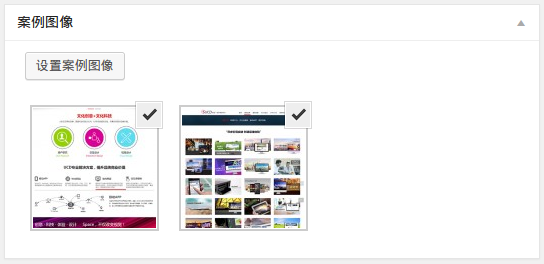
After adding the custom featured-image field, the next step is to pull that field out on the front end and loop through the images for display.
Retrieve featured images on the front end
When Piklist stores the featured-image field, it stores an array of attachment IDs. We first retrieve the image IDs, and then use those IDs to output the corresponding images. Let us look at the code.
<?php
$cases_images = get_post_meta( $post->ID, 'cases_images' ); // Get the featured image field.

if ( $cases_images ) {
    foreach ( $cases_images as $cases_image ) { ?>
    <?php $attachment = get_post( $cases_image ); ?>

    <div class="pure-u-1-2">
        <div class="cases_image">
            <?php echo wp_get_attachment_image( $cases_image, 'thumbnail' ) ?> // Get the featured image.
            <?php echo $attachment->post_content; ?>
        </div>
    </div>

    <?php }
} ?>
Once the multiple images have been output, we can combine them with a jQuery plugin to create different gallery or slideshow effects. Of course, besides Piklist, many other plugins can also implement multiple featured images, such as the better-known Advanced Custom Fields and Metabox plugins. Even some commercial themes ship with their own built-in libraries to support similar functionality, which is very convenient. If you have a better method, feel free to share it in the comments.