WooCommerce is WordPress’s B2C e-commerce solution. For site owners, it’s a truly out-of-the-box e-commerce solution; they only need to choose a WordPress theme that supports WooCommerce, configure some settings in the backend, and they can start publishing products and selling online. WooCommerce provides us with a frontend user center containing basic features. On the My Account page, users can set shipping addresses, view orders, and change passwords. For a basic e-commerce system, these features are just enough.
Beyond these basic e-commerce features, we can also add some custom features to WooCommerce to enhance user stickiness and improve conversion rates. For example, adding an points feature where we can reward users with some points when they complete an order or post a review. Users can use points to exchange for gifts, offset payments, etc. We can set up various marketing strategies in WooCommerce.
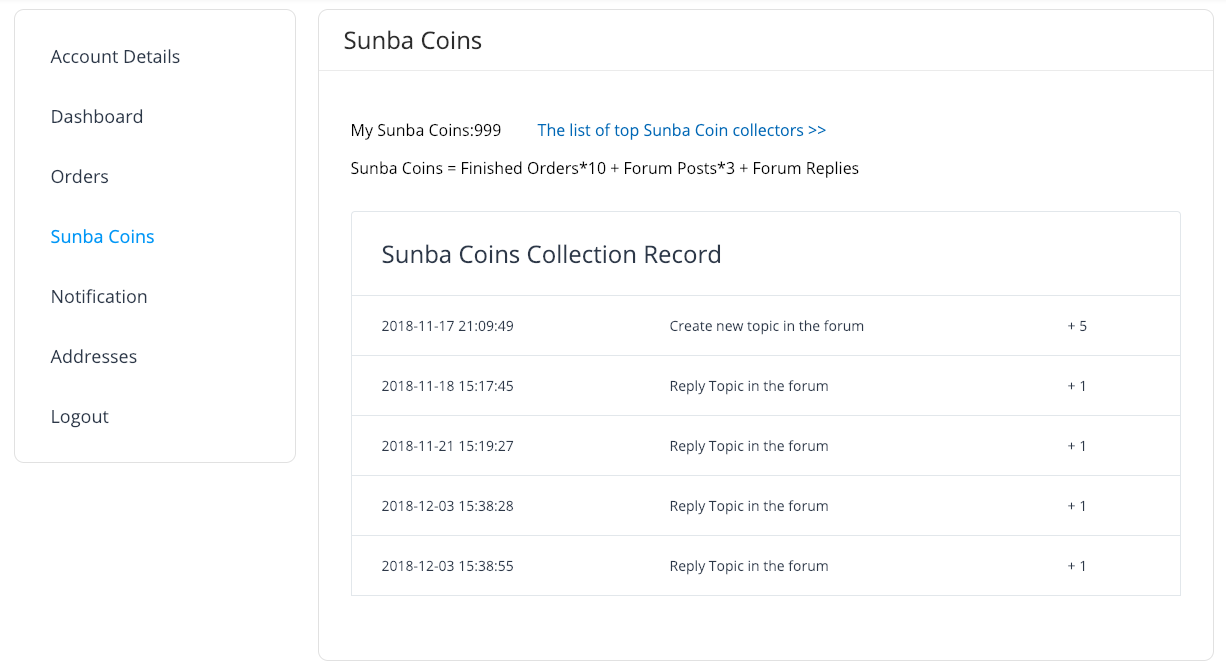
To make these strategies run more smoothly and provide users with a better experience, we need to add some pages to the WooCommerce My Account page, allowing users to see their activities and obtained benefits. The image below shows a custom page we added for a client to collect points.
Let’s look at how to add a custom page to the WooCommerce Account page.
1. Add Link to My Account Page
WooCommerce provides a “woocommerce_account_menu_items” hook. Through this hook, we can add or modify custom links to the My Account page.
add_filter ( 'woocommerce_account_menu_items', function ( $menu_links ){

    $menu_links = array_slice( $menu_links, 0, 5, true )
                  + array( 'points' => 'My Points' )
                  + array_slice( $menu_links, 5, NULL, true );

    return $menu_links;

}, 40 );
2. Register Custom Link Endpoint
After adding the custom link, we need to add a custom endpoint so that WordPress can recognize this as a custom page.
add_action( 'init', function () {
    add_rewrite_endpoint( 'points', EP_PAGES );
} );
3. Content of the My Account Custom Page
This is the truly important step. Here, we can display the points obtained by the user or the benefits they can exchange. The hook we use here is woocommerce_account_{ENDPOINT NAME}_endpoint, where ENDPOINT NAME is the custom link endpoint we added in the previous step; they must correspond.
add_action( 'woocommerce_account_points_endpoint', function () {
    echo 'Display page content here';
} );
Here, we need to retrieve database content and display it to users in a certain format. Each website has its own UI system, and each marketing strategy’s logic is different, so specific code won’t be displayed here. Besides adding pages to the My Account page, if the program requires it, we can also use the woocommerce_api_(action) API to add backend functional pages for WooCommerce. For example, in WooCommerce’s payment gateway interfaces, this API is used to add callback pages for payment gateways.