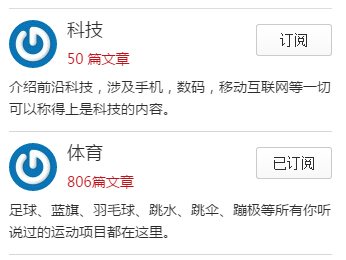
If you use the NetEase News app, you are probably familiar with its section subscription feature. WordPress has a very powerful and convenient content management interface, which makes it a strong fit for building a news and information site.
If your site has many sections, it is very useful to provide a subscription feature so users can subscribe only to the sections they care about. I implemented this while building a WordPress news theme for a client, and later organized the key parts of the solution. I am sharing those key snippets here.
Key backend code for the user center subscription feature
/*订阅功能*/
add_action( 'wp_ajax_skill_exchange', 'ajax_skill_exchange' );
add_action( 'wp_ajax_nopriv_skill_exchange', 'ajax_skill_exchange' );
function ajax_skill_exchange() {

	$fid = $_POST['fid']; // 为ajax提交获取参数

    //获取当前用户id
	$current_user = wp_get_current_user();
	$uid = $current_user->ID;

    //获取当前用户订阅的栏目数组(下称订阅数组)
	$fids = get_user_meta($uid, 'fids', true);

	if(count($fids) == 0){//如果订阅数组长度为0,说明该用户没有订阅任何栏目。
		$fids = array($fid);
		$msg = array(
			'msg' => "订阅成功",
			'text' => "取消订阅"
		);
	} else {//如果不为0,说明用户已经订阅了一些栏目
		if(!in_array($fid, $fids)){//如果当前分类不在订阅数组,添加当前分类到订阅数组,订阅成功。
			array_push($fids, $fid);
			$msg = array(
				'msg' => "订阅成功",
				'text' => "取消订阅"
			);
		}else{//如果当前分类在订阅数组中,说明已经订阅过了,从订阅数组中移除此分类id,取消订阅成功
			foreach($fids as $k => $v) {
				if($v == $fid){
					unset($fids[$k]);
				}
			}
			$msg = array(
				'msg' => "取消订阅成功",
				'text' => "订阅栏目"
			);
		}
	}

    // 排除空数组
    $following_ids = array_filter($following_ids, function ($value) { return $value !== ''; });
    //最后,更新用户订阅,返回信息。
	update_user_meta($uid, 'fids', $fids);
	wp_send_json_success($msg);
}
Key frontend code for the subscription feature
On the front end, write the category ID directly into the HTML so it is easy to retrieve. Then, based on whether the user is already subscribed, show either Subscribe or Unsubscribe on the button.
<?php $fids = (array)get_user_meta($uid, 'fids', true); ?>
<?php foreach($wp_query as $q) { ?>
    <a class="exchange" href="" data-id="<?php echo $q->ID ?>" title=""><?php echo(!in_array($q->ID, $fids)) ? "订阅" : "取消订阅"; ?></a>
<?php } ?>
The front end sends the category ID that should be subscribed to the backend with Ajax.
jQuery(document).ready(function($) {
	/*订阅和取消订阅*/
	$('.exchange').click(function(){
		event.preventDefault();
		$.ajax({
		method: 'POST',
			url: ajax_object.ajaxurl,
			dataType: "json",
			data: {
				action: 'skill_exchange',
				fid: $(this).data("id")
			},
			success: function(data){
                if(data.success === true){
                    alert(data.data.msg);
                }
				window.location.reload()
			}}
		);
	});
});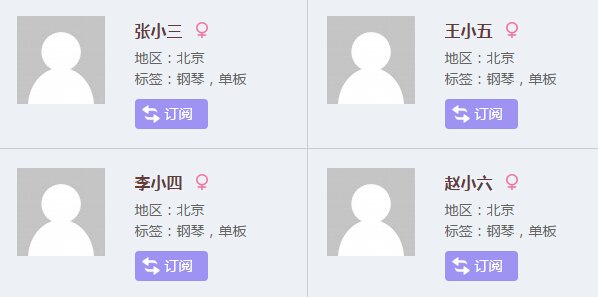
Besides subscribing to categories, the code above can be adapted very easily to subscribe to, or follow, users. You only need to change the category ID in the example above to a user ID.