Understanding the WordPress Options Table: wp_options
A practical guide to the WordPress wp_options table, including its structure, data sources, access rules, Options API, and Settings API.


A practical guide to the WordPress wp_options table, including its structure, data sources, access rules, Options API, and Settings API.

Use Twig inside a WordPress theme or application to separate templates from data and make rendering logic cleaner.

Fetch WordPress post data through the REST API and render it in the front end with the lightweight Mithril JavaScript MVC framework.

Use RedBeanPHP inside WordPress to simplify database access, create tables dynamically, and build cleaner custom application data models.

Disable the WordPress post embed feature by removing the oEmbed routes, discovery links, and host JavaScript from the site.

Use WordPress nonce-based cookie authentication so front-end POST requests to the REST API are treated as valid first-party requests.

Create a VIP role and a shortcode in WordPress so only users with the right capability can read protected content.

Add a custom user field to the WordPress profile editor, save it to user meta, and retrieve it later with get_user_meta().
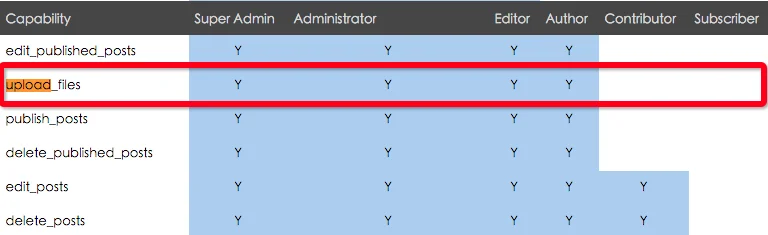
Grant file upload capability to contributor and subscriber roles in WordPress, or handle uploads directly with media upload functions.

Use WordPress author functions to display an author avatar, profile link, nickname, description, and other user fields in templates.

Posts 2 Posts lets you create many-to-many relationships between WordPress content types and query those connections in flexible ways.

A practical list of WordPress data and helper functions commonly used when building a front-end user center.