A lot of WordPress sites on VPS or dedicated servers fail to deliver email properly. Registration notifications, comment alerts, and password reset messages may never arrive at all.
In most cases, the problem is simple: the server or WordPress site has not been configured with a working mail transport. Adding an SMTP service solves that problem for most sites.
What SMTP is and what it does
SMTP stands for Simple Mail Transfer Protocol. In plain language, it is the standard protocol used to send email over the internet, and an SMTP server is the service that actually sends the message.
Most mailbox providers support SMTP, including QQ Mail, 163 Mail, Gmail, and many others. Some providers let you use the same password as the webmail account, while others require a dedicated SMTP authorization password.
Configure an SMTP server with a plugin
The easiest way to configure SMTP in WordPress is to install a mail plugin and then enter the sender address, SMTP host, and SMTP password. One of the most widely used choices is WP Mail SMTP by WPForms.
How to configure WP Mail SMTP
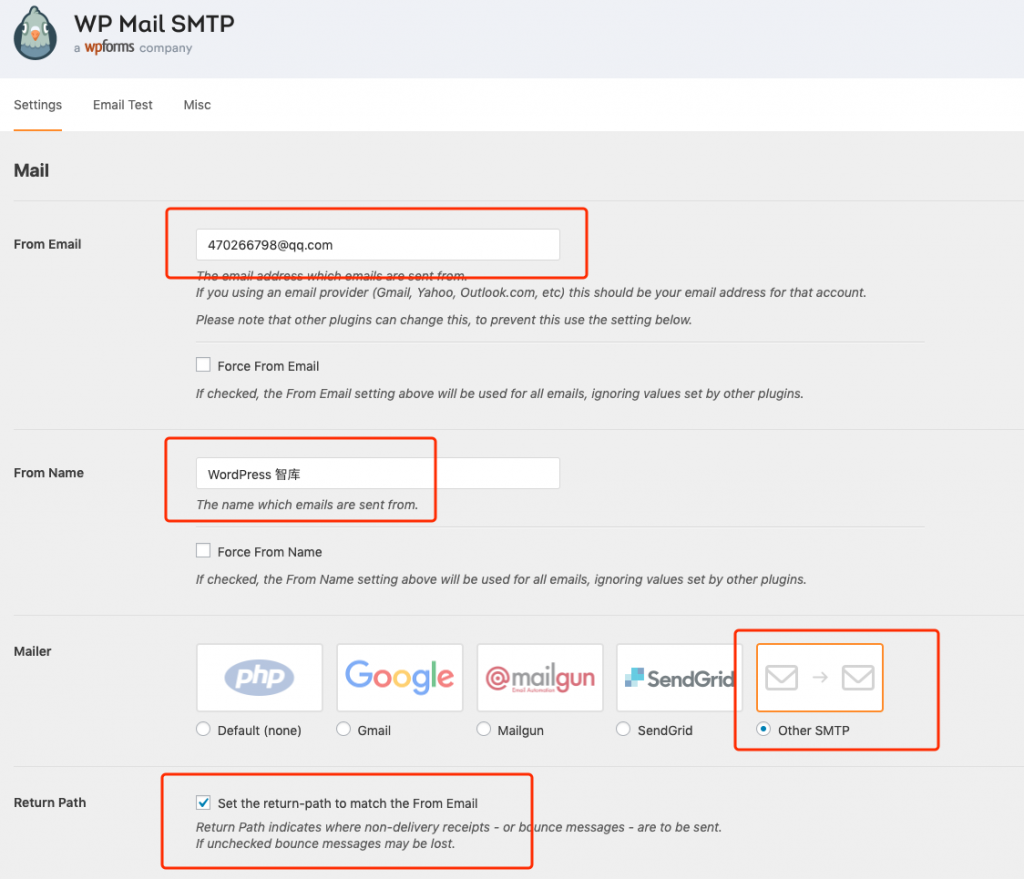
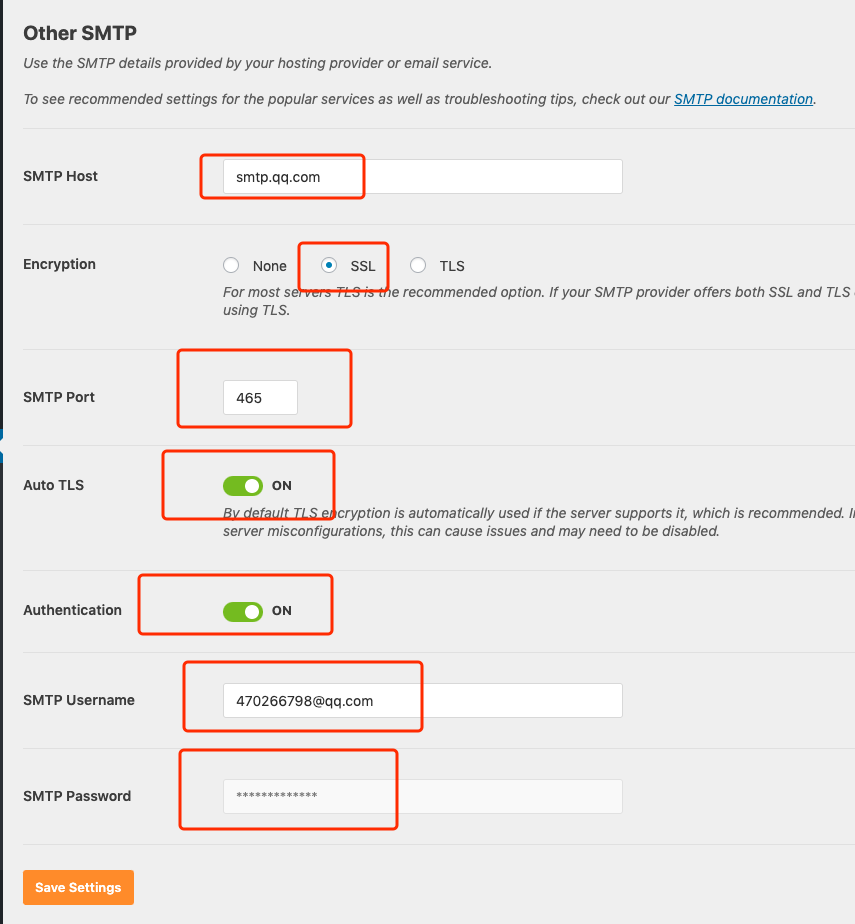
You can think of WP Mail SMTP as a mail client that runs on the server. That is why its settings look a lot like a desktop mail client such as Foxmail or Outlook. Because WordPress only needs to send mail in this scenario, you usually configure SMTP only and do not need POP3 or IMAP.
The screenshots below show the kind of SMTP settings you need to enter:
Configure SMTP at the Linux server level
If a single Linux server hosts dozens or even hundreds of WordPress sites, installing and configuring the same SMTP plugin over and over again is tedious.
A simpler alternative is to configure SMTP once at the server level. The idea is to give the Linux server its own outbound SMTP setup, so WordPress can use the system mail path and still send through a real SMTP service.
That approach saves a lot of repetitive work. Instead of installing WP Mail SMTP on every site, you maintain the mail transport in one place.
Whether you configure SMTP with a WordPress plugin or at the server level, the important thing is the same: once SMTP is set up correctly, WordPress can finally send the mail it is supposed to send.
Similar plugins
- Easy WP SMTP
- FluentSMTP
- SMTP Mailer