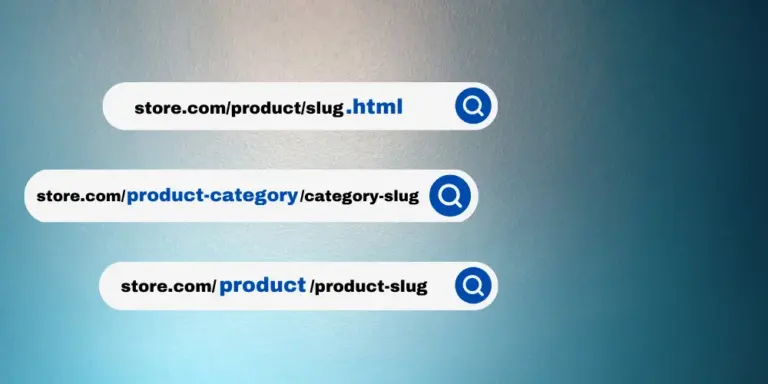
By default, WordPress front-end search looks through posts, pages, and any custom post types that were registered as searchable on the front end. But what if we only want to search a specific post type? The answer is simple: we only need to make a small modification to the WordPress search $query object. Let us look at the code.
// Make WooCommerce search only the 'product' post type.
if ( !is_admin() ) {
function searchfilter($query) {
 // Limit the change to search queries and non-admin requests.
 if ($query->is_search && !is_admin() ) {
     $query->set('post_type',array('product'));
 }
return $query;
}
add_filter('pre_get_posts','searchfilter');
}
Pay attention to the key part, product. Where do we find that parameter? It is shown in the image below.
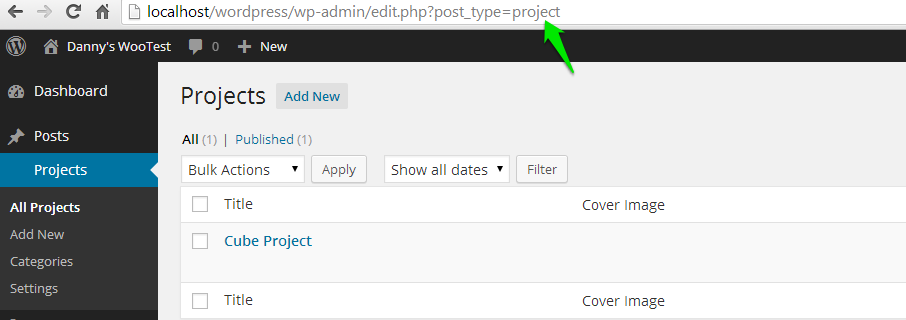
In fact, if you are already familiar with WordPress custom post types, this parameter is simply the slug value defined when the custom post type was registered.
The code above limits the front-end search to the “Product” post type only. What if we want to search both “Product” posts and normal blog posts? In that case, we only need to adjust the code slightly.
$query->set('post_type',array('product','post'));One important thing to note is that this code works globally on the front end. Any search performed anywhere on the front end will be affected by it, but it will not affect the backend search function. If you really do want to affect the backend as well, just remove the !is_admin() condition from the code above.