Most shared WordPress hosting environments support FTP, which makes it easy to upload and manage site files. The problem is that traditional FTP is unencrypted. Usernames, passwords, and transferred data travel across the network in plain text, which is not safe.
Because FTP is still convenient and widely used, the practical solution is FTP over SSL/TLS. By adding encryption on top of the FTP protocol, the transferred data becomes much harder to intercept.
Step 1: enable TLS support in Pure-FTPd
Edit /usr/local/pureftpd/etc/pure-ftpd.conf on the server, find the TLS setting, and change its value to 1 or 2.
1: allow both insecure FTP and FTP over TLS2: allow only FTP over TLS
For better security, 2 is the better choice because it forces encrypted connections only.
Step 2: create the TLS certificate for Pure-FTPd
Run the following commands on the server to generate a certificate and private key:
openssl req -x509 -nodes -days 3650 -newkey rsa:2048 -keyout /etc/ssl/private/pure-ftpd.pem -out /etc/ssl/private/pure-ftpd.pemThe command will prompt for certificate information. Those values are mainly there so users can inspect the certificate and see where it came from.
After the certificate is created, adjust its permissions so Pure-FTPd can use it safely. If you want more background on why this matters, see our guide to recommended WordPress server directory and file permissions:
chmod 600 /etc/ssl/private/pure-ftpd.pemThen restart the Pure-FTPd service so the new settings take effect:
service pure-ftpd restartFinally, configure the FTP client to use explicit encryption
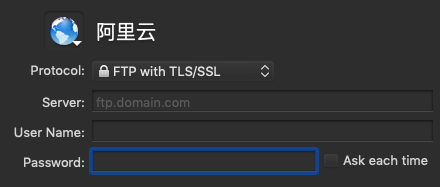
In the FTP client, choose the TLS or explicit encryption connection mode. The original article used Transmit on macOS as an example, but other FTP clients provide similar options.
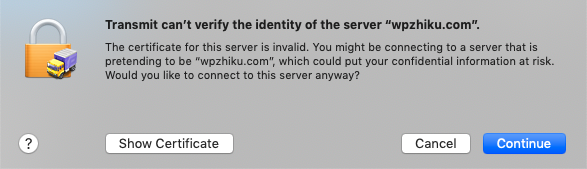
The client may warn that it cannot verify the certificate because the certificate is self-signed. That is expected. Since the certificate was created on your own server, it does not need to be signed by a public certificate authority for this use case.
If you want to be extra careful, inspect the certificate and verify that the details match what you entered when creating it.
If the server supports SSH, SFTP is another strong option, since SSH is encrypted by design. Whatever method you choose, secure file transfer is worth the extra effort.