In many WordPress projects, media file management is often limited to basic titles and descriptions. However, you may occasionally need to add extra information to specific media files, such as video links or copyright notices. Unfortunately, there are few plugins or detailed tutorials covering how to extend media metadata.
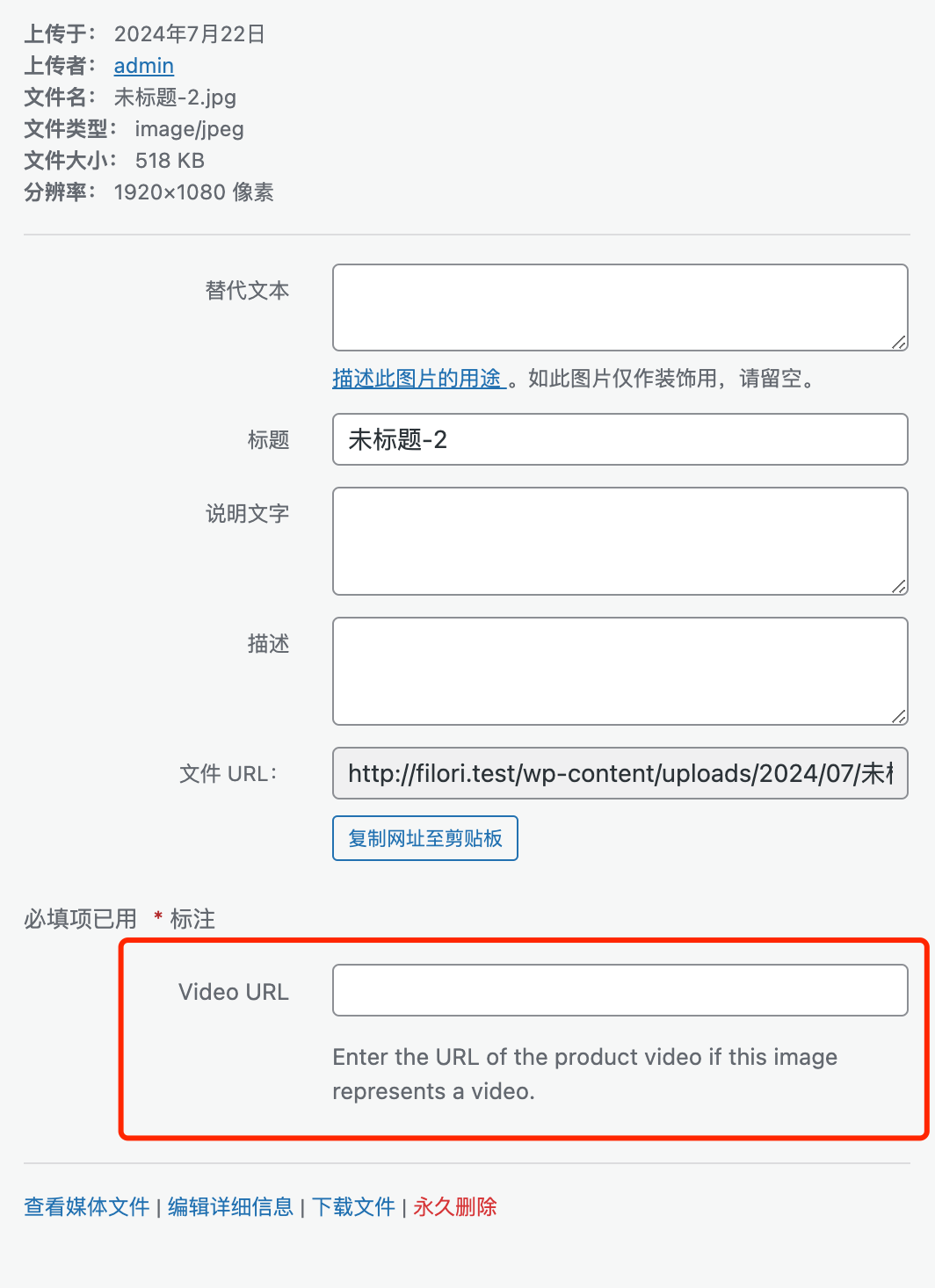
In this article, we’ll explore how to add custom fields to the WordPress Media Library. The implementation is quite straightforward and can be achieved entirely with code, eliminating the need for bulky plugins. The final result will look like the screenshot below.
Step 1: Adding the Custom Field Form
We’ll use the attachment_fields_to_edit filter hook to add a “Video URL” field to the media uploader interface.
add_filter('attachment_fields_to_edit', 'add_video_url_field_to_media_uploader', 10, 2);

function add_video_url_field_to_media_uploader($form_fields, $post)
{
    $form_fields[ 'video_url' ] = [
        'label' => __('Video URL', 'text-domain'),
        'input' => 'text',
        'value' => get_post_meta($post->ID, '_video_url', true),
        'helps' => __('Enter the URL of the video associated with this media item.', 'text-domain'),
    ];

    return $form_fields;
}
Step 2: Saving the Metadata
Next, we use the attachment_fields_to_save filter hook to catch the submitted form data and save it as post meta whenever the media item is updated.
add_filter('attachment_fields_to_save', 'save_video_url_field_to_media_uploader', 10, 2);

function save_video_url_field_to_media_uploader($post, $attachment)
{
    if (isset($attachment[ 'video_url' ])) {
        update_post_meta($post[ 'ID' ], '_video_url', esc_url_raw($attachment[ 'video_url' ]));
    }

    return $post;
}
With these two hooks, you’ve successfully extended the WordPress Media Library. It’s important to note that the $post variable in these hooks refers to the “attachment” post type that stores the media data, not a standard post or page.
Once saved, you can retrieve this metadata in your theme or plugin logic based on your specific requirements. For a deeper dive into retrieving media metadata, check out our previous guide on programmatically retrieving attachment Alt text, titles, descriptions, and names.
This method is both efficient and flexible. You can apply it to more complex projects, such as adding duration fields for audio/video files or credit/source information for photography.