For membership sites or stores selling digital subscriptions, a common requirement is to automatically upgrade a user’s role after they purchase a specific product. For example, if a customer buys a “VIP Annual Membership” product, you might want to change their role from “Customer” to “VIP Member” to grant them access to exclusive content.
In WooCommerce, this process can be achieved in two main steps:
- Choosing the right moment (hook) to trigger the role transition.
- Checking if the order contains the target product(s) and then executing the role update.
Here is the implementation code. You can use this snippet in your theme’s functions.php or a custom plugin. We will break down the logic below.
add_action( 'woocommerce_payment_complete', 'wprs_set_role_on_specific_product_purchase' );

function wprs_set_role_on_specific_product_purchase( $order_id ) {

	// Get the order object
	$order = wc_get_order( $order_id );

	// Do nothing if no user ID is associated with the order (guest checkout)
	if( ! $order->user_id ) {
		return;
	}

	$items = $order->get_items();

	// Array of Product IDs that trigger the role change
	$membership_tier_ids = array( 5, 10, 32 );

	foreach( $items as $item ) {

		if( in_array( $item[ 'product_id' ], $membership_tier_ids ) ) {

			$user = new WP_User( $order->user_id );

			// Optional: Remove the existing 'customer' role
			$user->remove_role( 'customer' );

			// Add the new role (e.g., 'editor' or a custom 'vip' role)
			$user->add_role( 'editor' );

            // Logic for setting expiration dates or other metadata goes here

			break; // Exit the loop once a match is found

		}
	}

}
Detailed Code Breakdown
- The Hook: I use
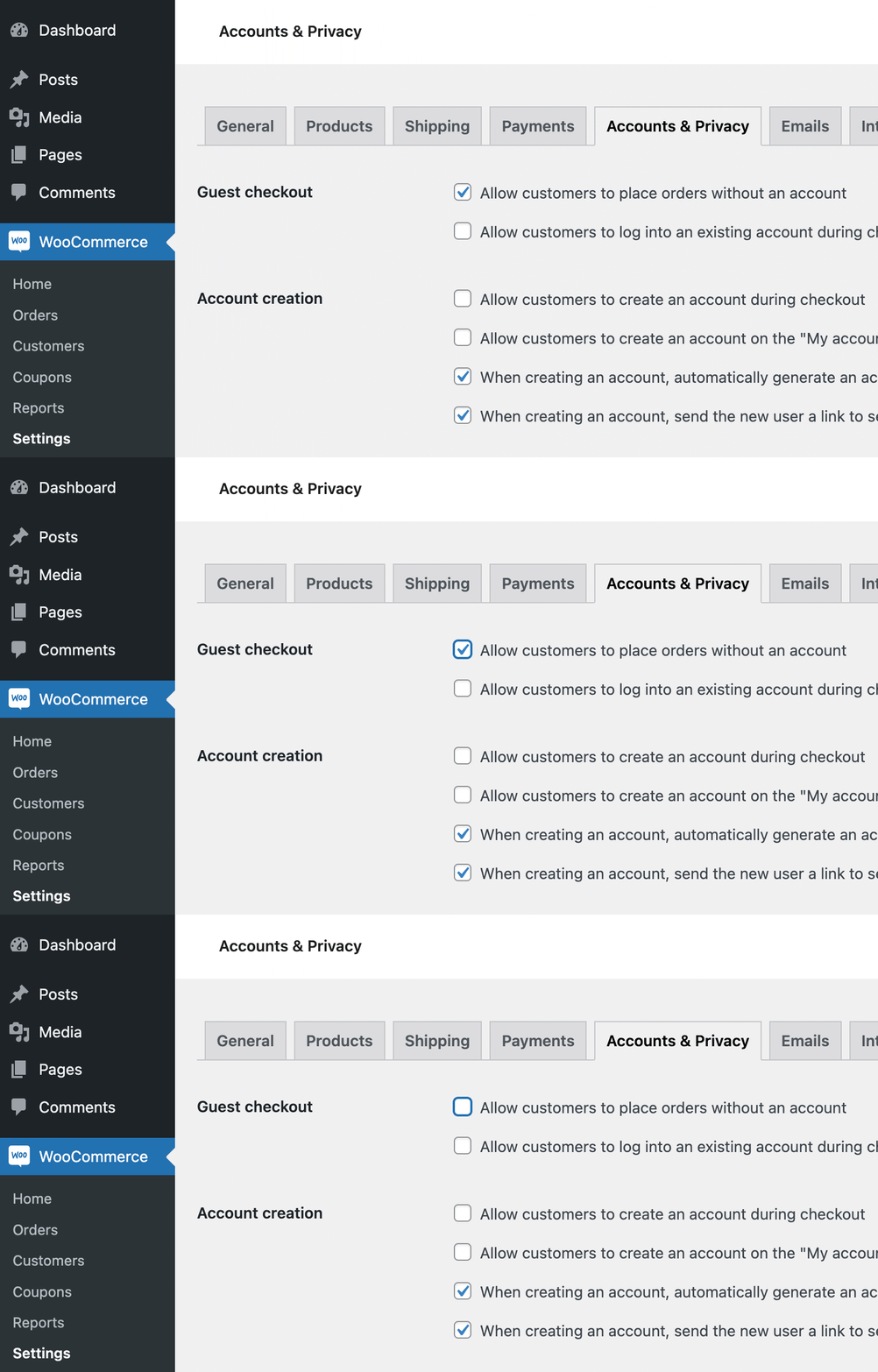
woocommerce_payment_completeto ensure the user has successfully paid before the role is granted. Some tutorials suggest usingwoocommerce_order_status_completed, but payment completion is a more precise trigger for digital access. - Guest Prevention: Lines 8-10 ensure the logic only runs for logged-in users. If you want to force account creation for these products, you should disable guest checkout in WooCommerce settings (see Figure 1).
- Product IDs: Define your trigger products in the
$membership_tier_idsarray. Any order containing at least one of these IDs will trigger the role change. - Role Management: We use the
WP_Userobject. You can useset_role()to replace all roles, oradd_role() / remove_role()for more granular control.
By automating role transitions, you can create a seamless onboarding flow for your premium users, ensuring they get the permissions they paid for without manual administrator intervention.