Sometimes, to prevent fraudsters, users who violate website policies, or certain high-risk users from placing orders on a WooCommerce site, we need to block checkout based on the order information submitted. Thanks to WooCommerce’s flexible Hooks, we can easily achieve this requirement.
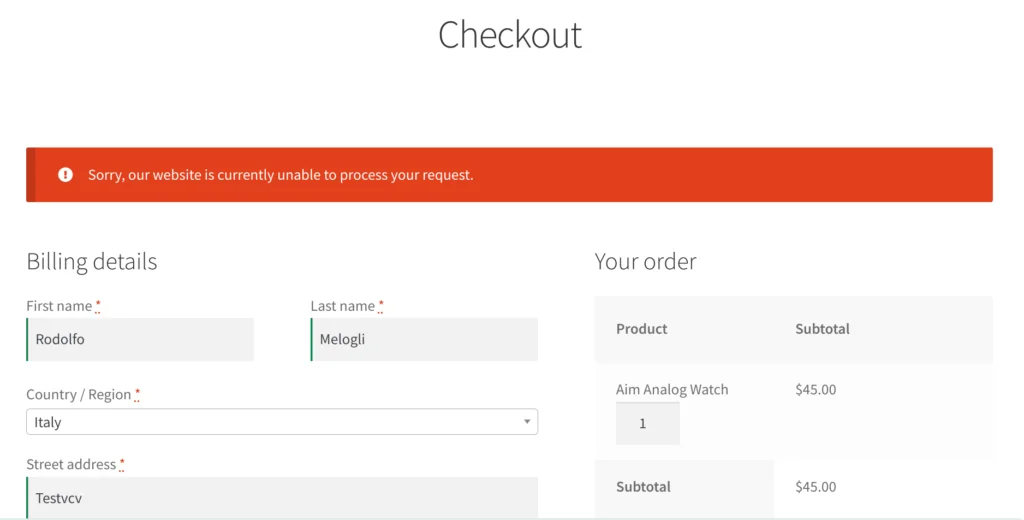
In the code below, we define a custom function to add a simple email blacklist. This function checks the customer’s email address during checkout. You only need to add these 8 lines of PHP code to your theme’s functions.php file to effectively block orders from specific email addresses.
add_action( 'woocommerce_after_checkout_validation', 'wprs_blacklist_billing_email', 9999, 2 );

function wprs_blacklist_billing_email( $data, $errors ) {
	$blacklist = [ 'hello@example.com', 'info@lorem.io', 'me@john.co' ];
	if ( in_array( $data['billing_email'], $blacklist ) ) {
		$errors->add( 'blacklist', __( 'Sorry, our website is currently unable to process your request.', 'woocommerce' ) );
	}
}
In addition to blocking by email, we can also perform validation based on the shipping address submitted by the user. For instance, if a user’s shipping address is in a high-risk region, we can directly prevent the user from placing an order to maximize risk mitigation.