Selecting a WordPress theme isn’t just about finding the prettiest design (though that’s certainly part of the fun). It’s about finding a theme that meets your website’s needs and can grow alongside you. This makes choosing a theme a significant decision for any site owner.
In this article, I’ll share the crucial “Dos” and “Don’ts” when selecting the best WordPress theme for your project.
What to Do When Choosing a WordPress Theme
Let’s dive into the key actions you should take to ensure your chosen theme is not only visually appealing but also perfectly aligned with your content and goals.
Clarify Your Website Purpose
Before you start browsing, define the purpose of your site. Are you showcasing a portfolio, running an e-commerce store, or creating a blog? I cannot overstate the importance of this step. Understanding your goals will lead you to themes specifically designed for your niche.
When searching the WordPress theme directory, you’ll find a filter that allows you to browse by subject matter.
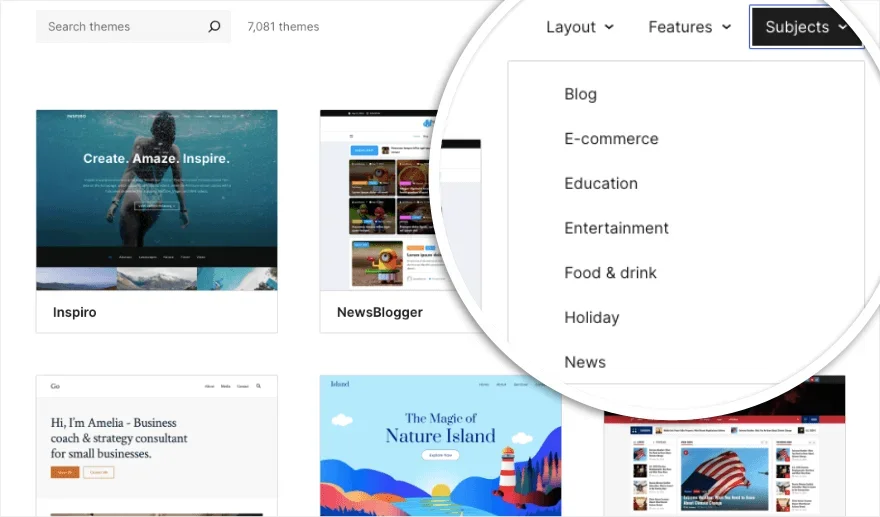
You can filter for themes related to blogging, e-commerce, education, entertainment, food and drink, news, and more. This significantly narrows down your search.
Even on third-party marketplaces, you can find high-quality themes tailored to your specific content type.
Prioritize Responsive Design
Millions of users browse the web on mobile devices. Furthermore, Google prioritizes mobile-friendly websites in its rankings. Therefore, a responsive theme is no longer “nice to have”—it’s an absolute necessity.
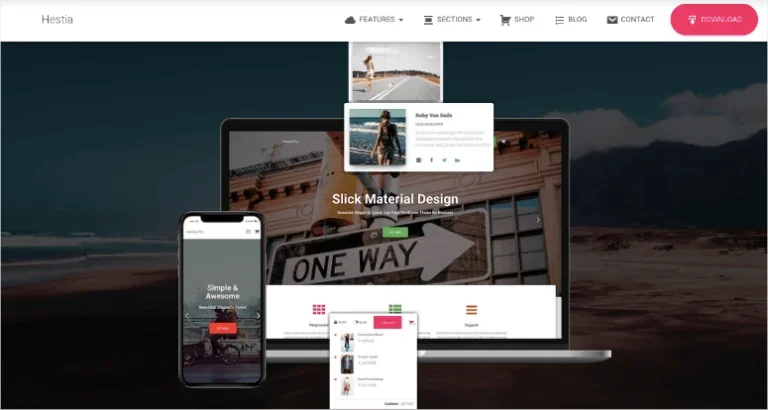
Look for themes that automatically adjust to different screen sizes. I always recommend testing your shortlisted themes on multiple devices before committing.
Check for Regular Updates and Support
A theme might look great today, but if it hasn’t been updated in years, it’s a ticking time bomb. Trust me on this! Look for themes that are frequently updated and offer active support. This is a strong signal that the developers are committed to maintaining and improving the product.
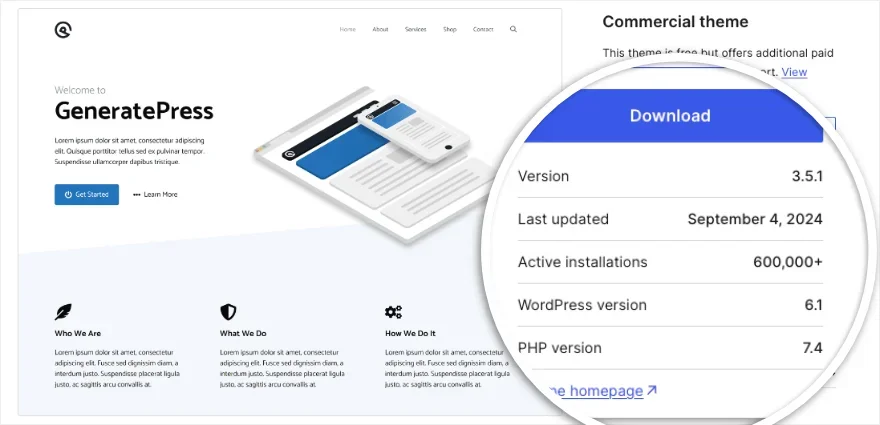
I’ve found that themes with comprehensive tutorials and documentation provide a much smoother experience. Avoid themes with sparse or non-existent documentation.
Consider Performance and Speed
A beautiful theme that slows down your site does you no favors. I recommend looking for lightweight themes optimized for speed. Remember, every second counts when trying to keep visitors on your site.
You can usually tell if a theme is lightweight and built for speed from its description or feature list.
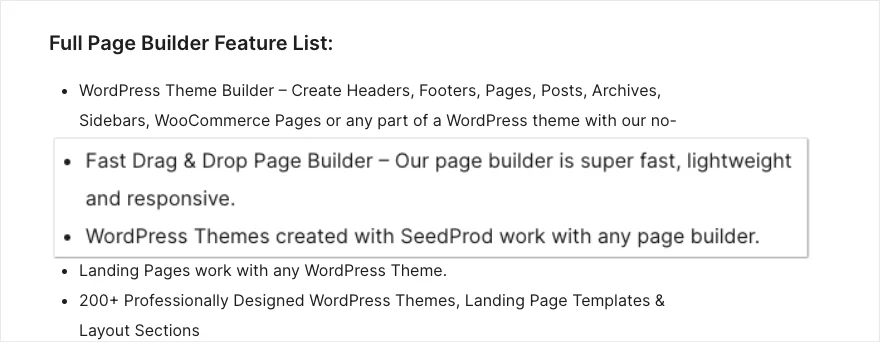
Slow sites drive visitors away. Avoid themes bloated with unnecessary features or poorly optimized code. Before deciding, test a live demo using tools like Google PageSpeed Insights to see how it performs.
Ensure Compatibility with Popular Plugins
If you plan on using specific essential plugins (like WooCommerce for e-commerce), ensure your chosen theme is explicitly compatible with them.
Most premium themes will highlight their compatibility with popular plugins, which can save you a lot of troubleshooting headaches down the road.
Read User Reviews and Ratings
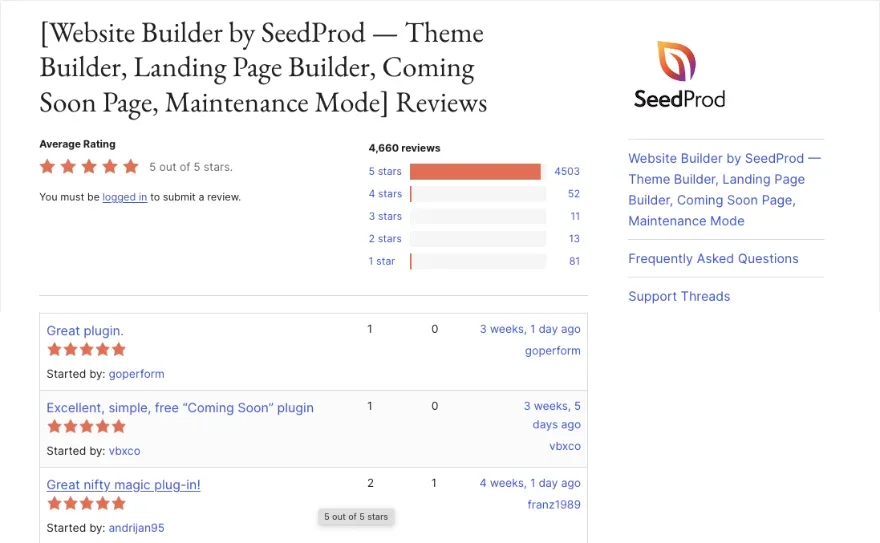
User reviews provide invaluable insights into a theme’s real-world performance. You can learn a lot from the experiences of others, so definitely check the ratings and detailed feedback.
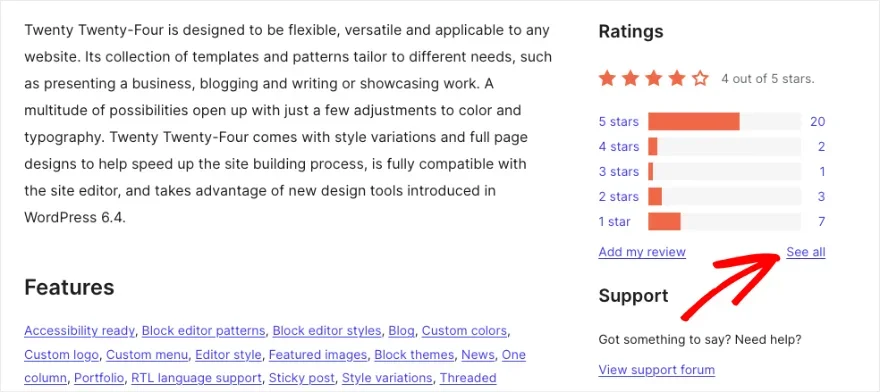
Focus on reviews discussing ease of use, customization depth, and support quality. These real-world perspectives are crucial for making an informed decision.
Choosing a WordPress theme is a big decision, but it doesn’t have to be stressful. Take your time, consider these factors, and you’ll find the perfect match for your site.
What Not to Do When Choosing a WordPress Theme
While this list isn’t exhaustive, these are the most common pitfalls that can have a major impact on your site’s success.
Don’t Choose Based on Appearance Alone
It’s tempting to pick a theme just because it looks stunning, but looks aren’t everything. A visually striking theme might lack essential features or suffer from poor performance. Remember, your theme needs to work hard for you, not just look pretty.
Don’t Ignore Customization Options
Flexibility is key in WordPress. Avoid themes with extremely limited customization options. You need a theme that can grow and adapt as your site evolves.
You might want to rebrand, pivot your content strategy, or simply change your style. Having the ability to adjust colors, fonts, and layouts without diving into code is essential.
Don’t Overlook Your Budget
While feature-rich premium themes are attractive, be realistic about your budget. There are many excellent free themes available. However, if you do choose a premium option, view it as an investment in your site’s long-term future.
Frequently Asked Questions (FAQs) on Choosing a WordPress Theme
When choosing a WordPress theme, consider: purpose/niche, mobile responsiveness, customization options, speed/performance, SEO friendliness, plugin compatibility, and regular updates/support quality.
Both have pros and cons. Free themes are cost-effective but usually have limited features and support. Premium themes offer more customization, dedicated support, regular updates, and usually better code quality. Choose based on your budget and long-term project requirements.
Check the theme description for explicit mentions of WooCommerce, AIOSEO, or Elementor compatibility. You can also read reviews or contact the developer directly to verify support for specific plugins.
Page speed is vital for UX and SEO. Choose a lightweight theme and test its demo using Google PageSpeed Insights before purchasing.
Ideally every few months. Regular updates ensure compatibility with the latest WordPress core and patch security vulnerabilities.
Multipurpose themes offer more flexibility but can be complex. Niche themes are specialized and often easier to set up for a specific industry. Choose based on your technical skills and specific design needs.
Extremely important, especially for beginners. Comprehensive documentation and responsive support save time and frustration during setup and maintenance.
Yes, you can change your theme at any time. However, it’s best to start with one you’re happy with to avoid layout and formatting issues during the transition.
Finally, avoid rushing into a theme choice due to deadlines. Choosing the wrong theme can result in ten times more work later. Don’t be swayed by visuals alone; for SEO and user experience, solid performance is far more valuable than a flashy design.