FOMO, or “Fear Of Missing Out,” has become a highly popular marketing buzzword in recent years. The WordPress community has embraced it so enthusiastically that several specialized plugins have emerged to help site owners capitalize on this psychological phenomenon. In this guide, we’ll explore several effective ways to leverage FOMO to increase conversion rates on your WordPress site.
Let’s dive into what FOMO is and how you can use it as a brand marketing technique. By adding just a few strategic plugins to your WordPress site, you can significantly boost conversions and increase the sales of your products or services.
What is FOMO?
Have you ever felt anxious about missing out on something that it seems everyone else is enjoying? That’s FOMO—short for “Fear Of Missing Out.”
FOMO has evolved into a psychological term describing the anxiety people feel when they think they are missing out on exciting, trendy, or popular events and opportunities.
While the concept isn’t new—marketers have used variants of this tactic long before the internet existed—it has found a second life in digital communities, becoming one of the most effective techniques for driving online engagement.
There are many ways to trigger FOMO on your WordPress site. Some of the most popular methods include:
- Promotions and flash sales
- Limited-time offers
- Social proof and real-time activity notifications
- Exclusive discounts
- Word-of-mouth marketing
Beyond direct sales, you can also use FOMO to build your email list, increase site traffic, or drive more app downloads. Implementing these tools on WordPress is quite straightforward. Here are several practical ways to start with FOMO marketing today.
Using Social Proof to Drive FOMO
Perhaps the most effective way to use FOMO is by adding social proof to your WordPress site. Social proof immediately demonstrates to potential customers that others are already buying and enjoying your products or services.
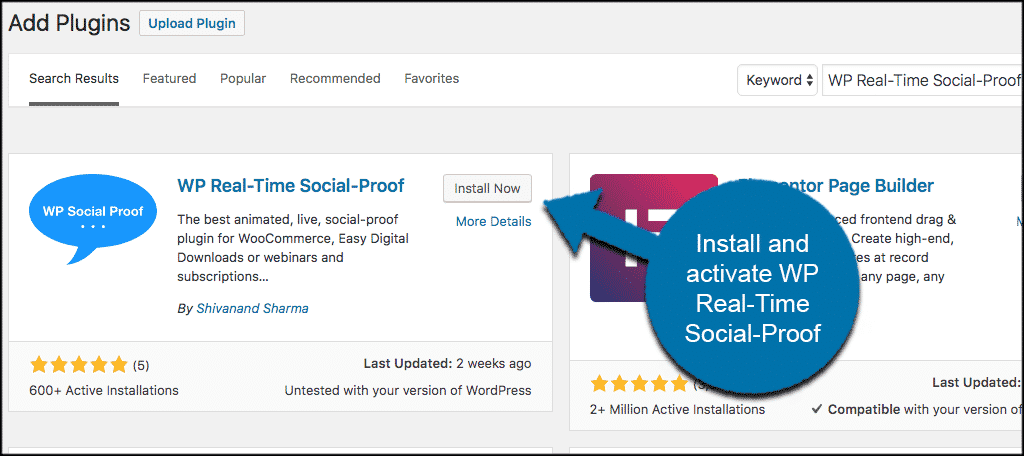
The free WP Real-Time Social Proof plugin allows you to quickly and easily add these notifications to your site. It’s fully compatible with WooCommerce and Easy Digital Downloads.
To get started, install and activate the WP Real-Time Social Proof plugin.
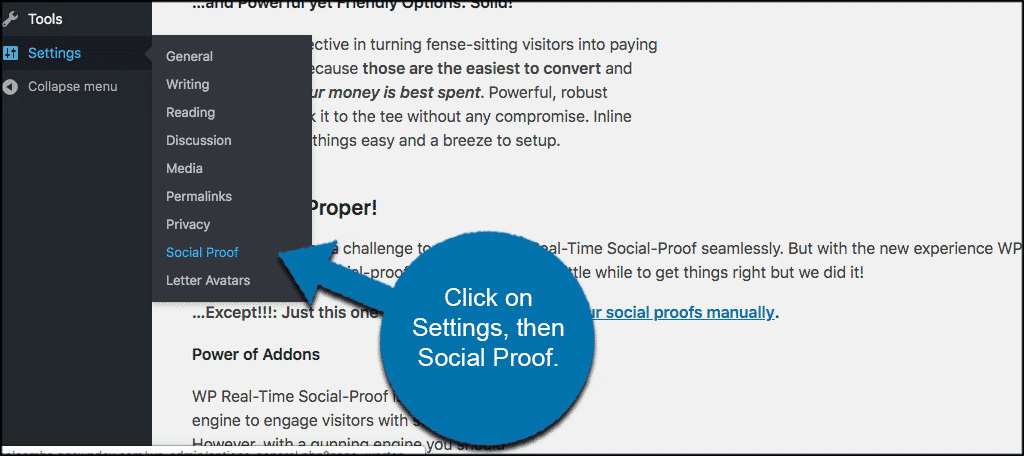
Once activated, navigate to Settings > Social Proof in your WordPress admin dashboard.
From here, you can add any number of social proof entries by clicking the “Add New Social Proof” link on the left.
Configure the settings as you see fit, and the notifications will begin appearing on your site. Adding social proof is a powerful way to leverage FOMO for both conversion and customer retention.
Adding Countdown Timers to High-Value Areas
Countdown timers serve many purposes on a website and are perfect for creating the urgency required for FOMO-driven conversions.
A timer visually communicates that time is running out to take action—whether that’s buying a product, joining a list, or claiming a limited-time discount. This sense of urgency often prompts visitors to take immediate action.
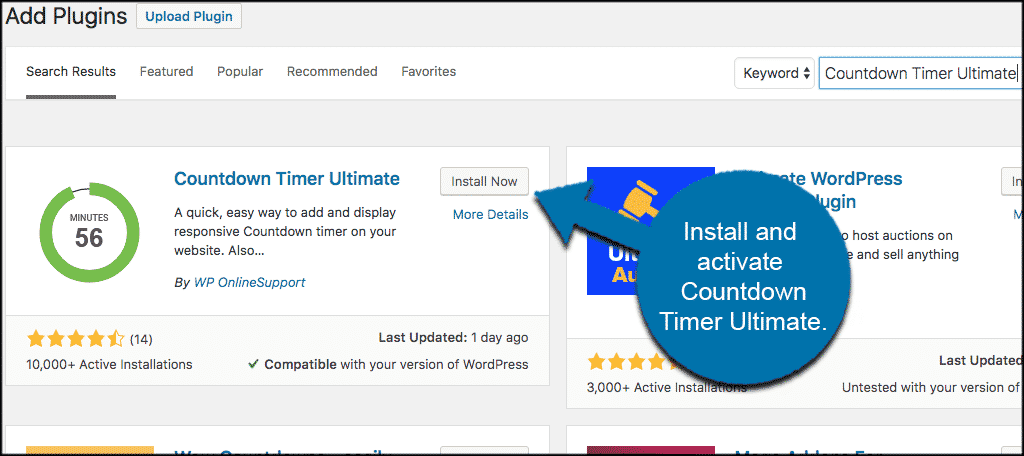
In this example, we’ll use Countdown Timer Ultimate. This simple plugin allows you to create multiple timers and place them anywhere on your site using shortcodes.
Install and activate the Countdown Timer Ultimate plugin from your dashboard.
After activation, go to Countdown Timer > Add Timer to create your first countdown. You can customize various display options before publishing.
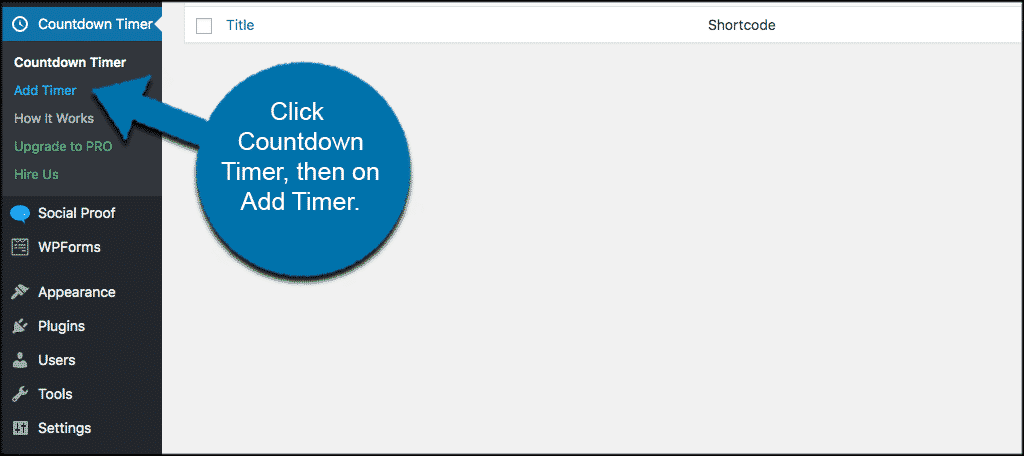
Once published, you can use the provided shortcode to display the timer anywhere on your WordPress site.
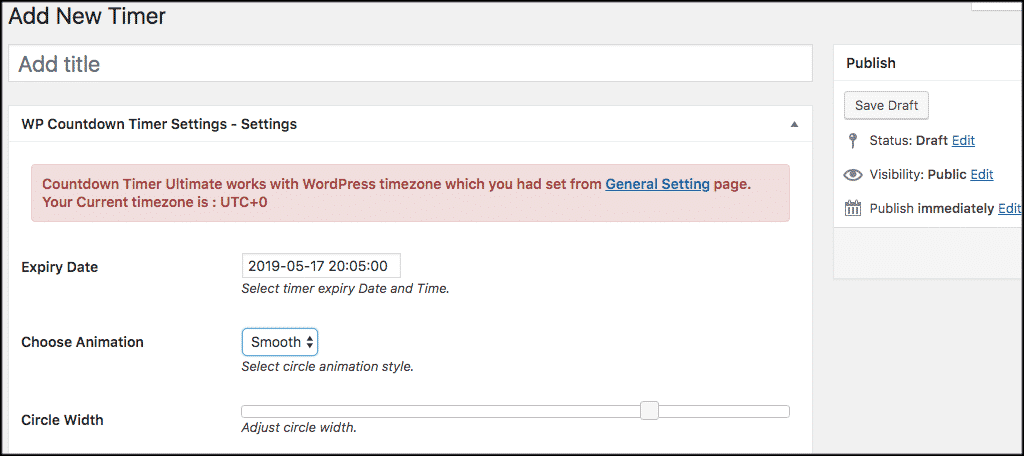
If you’re looking for different styles, you can browse many other free options in the WordPress plugin directory. Regardless of the style you choose, timers are invaluable for boosting FOMO conversions.
Maximizing Conversions with the WPFomo Plugin
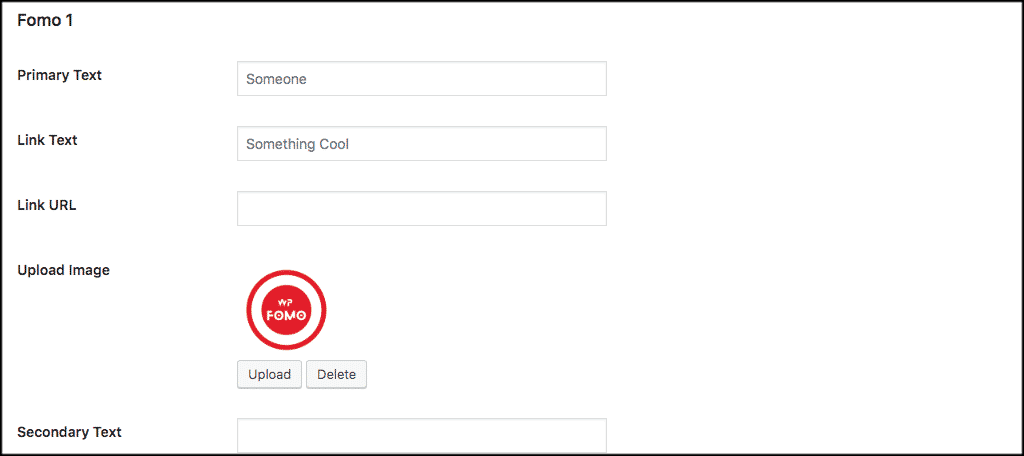
If you want a dedicated, professional tool for FOMO strategies, WPFomo is an excellent choice. It’s a highly intuitive tool designed to create a “viral” effect on your site.
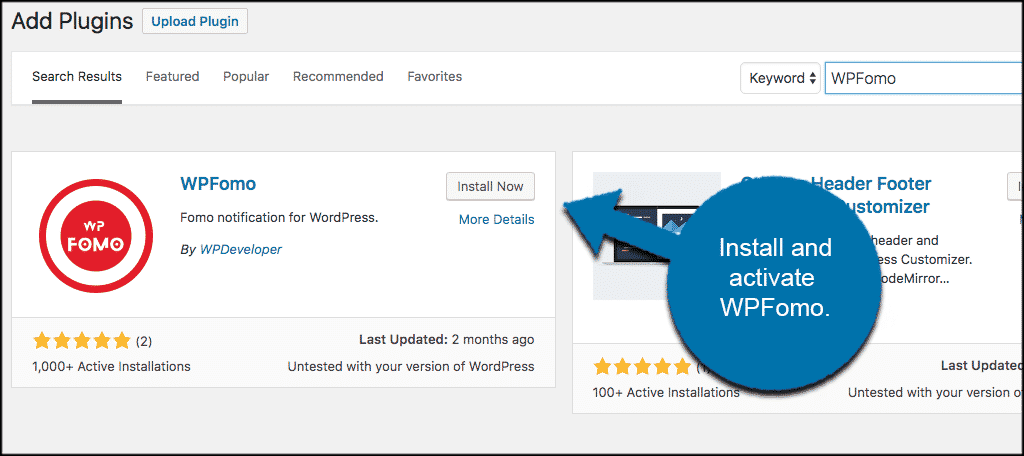
To use it, install and activate WPFomo from your WordPress dashboard.
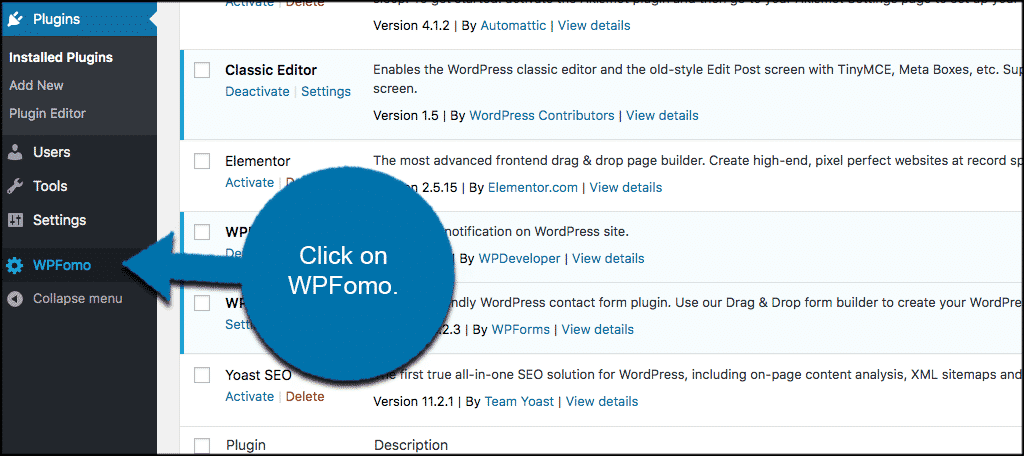
After activation, a “WPFomo” link will appear in your left-hand admin menu. Click it to enter the settings page.
Configure your WPFomo templates and add them to your site to start seeing the impact on your conversion rates.
Using psychology in marketing has become a universal best practice. Have you implemented these techniques on your site or app, or do you rely on other psychological principles? We’d love to hear about your experiences in the comments below.