
Addonify WooCommerce Quick ViewPlug-ins can add quick viewing functionality to WooCommerce product lists and improve the user experience of the store page.
If you are running an online e-commerce store, then you will definitely want to improve your customers’ user experience in all aspects. This plugin allows your website visitors to quickly view product summaries without having to view product detail pages one by one. This saves visitors time and increases your revenue.
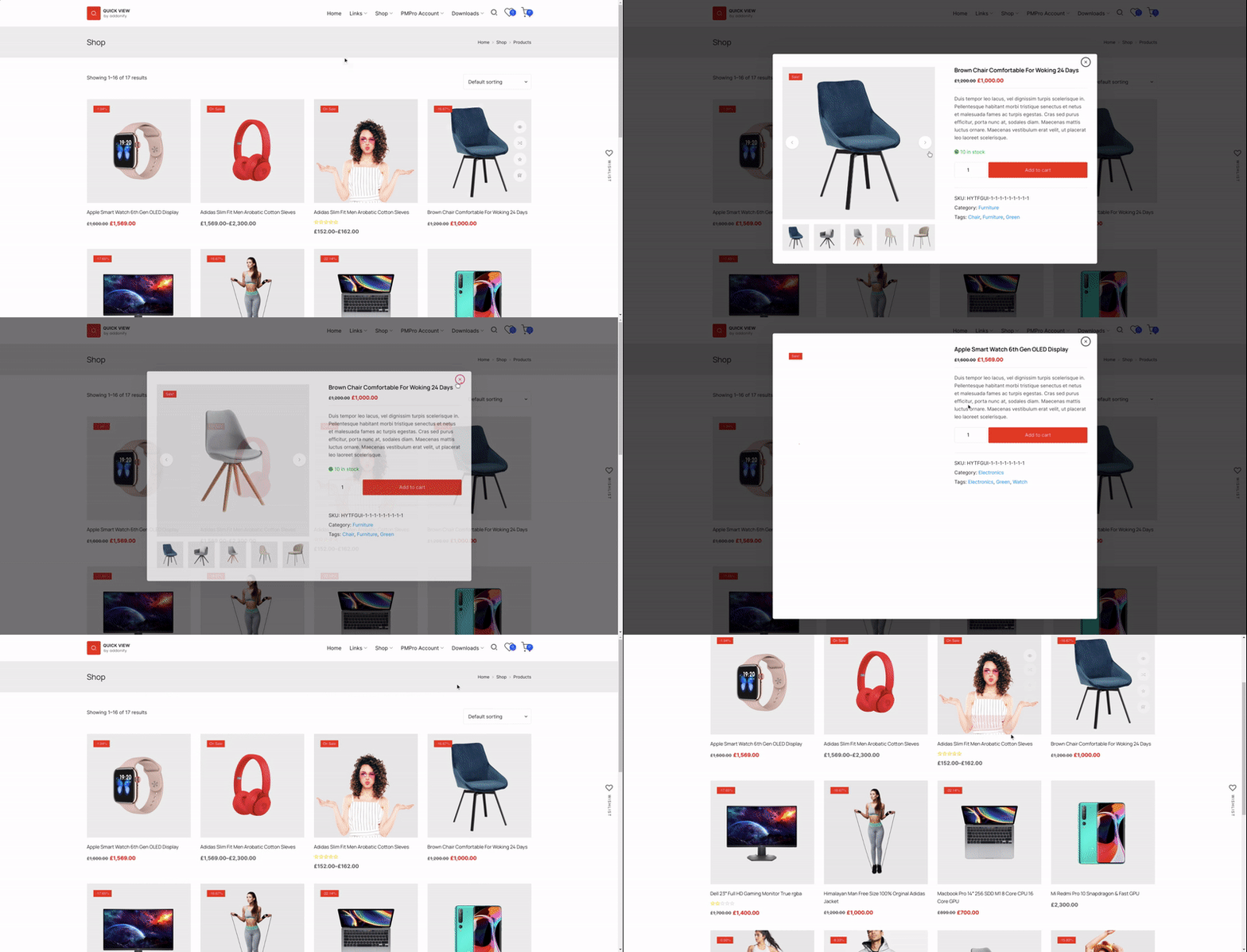
Core functions:
- quick view button: Add a button to the product list, and when clicked, the product summary will be displayed through an AJAX pop-up window.
- Modal window content: Displays the product title, price, add to cart button, product summary, and “View Details” button.
- Mobile device optimization: You can disable the Quick View feature on mobile devices to avoid unnecessary distractions.
- Icon display: The button supports displaying the loading icon to make the user experience smoother.
- Content customization: The content displayed in the modal window can be adjusted according to needs.
- Quick close: Users can quickly close the modal window through the ESC key.
- Developer friendly: Provides JavaScript API to facilitate developers for secondary development.
- Custom CSS: Allows users to add custom CSS to the background settings page and easily adjust styles.
Design customization:
- button style: Customize the text and background color of the quick view button.
- Modal window style: Adjust the border and text color of the modal window.
- icon style: Customize the color, size and background color of the album icon.
- Font style: Adjust the font size, color, etc. of product titles and prices.
- Scoring style: Customize the color of the rating star.
Professional version features:
Addonify – Quick View For WooCommerce Pro version has more advanced features:
- View tracking: Track which products customers have viewed and optimize marketing strategies.
- Related product display: Display related products in the quick view window to increase cross-selling opportunities.
- Product navigation: Add product navigation before and after in the pop-up window to improve browsing efficiency.
- social sharing: Support sharing products to social media in quick view mode.
- AJAX Add to Cart: Customers can add products to the shopping cart directly through the quick view window to enhance the shopping experience.
Shortcode:
The following shortcode helps you add a quick view button on your page:
[addonify_quick_view_button id="1" label="Quick View" classes="btn" icon="icon_one" icon_position="left"]Shortcode attributes:
id: Product ID.label: Button text.classes: Button style.icon: button icon (selecticon_onearriveicon_six)。icon_position: Icon position, supportleftorright。
Summarize
passAddonify WooCommerce Quick ViewWith the plug-in, you can easily add a quick view function to your product list to help customers browse products more efficiently. Not only does this improve user experience, it also increases conversion rates and sales.