
The comment system exists as a standard function of the blog system. WordPress was originally a blog system, so the comment function is essential.
Up to now, WordPress has already surpassed the blog system and is used by everyone as a powerful CMS system. Some websites cannot use the comment function at all. In these cases, the comment system seems a bit redundant, and if no protection is provided, spam comments will often be received in the comments, which is very annoying.
Introduced to you todayDisable Comments pluginIt can help us quickly disable the comment function in WordPress site.
Main functions and features of the plug-in
- Hide all comment links in the admin menu;
- Hide dashboard/latest comments section;
- Hide dashboard/discussion section;
- Hide all comment links in the admin bar;
- Disable all comment widgets;
- Hide discussion settings page;
- Disable RSS/Atom feeds;
- Turn off the Pingback function in head;
- Disable Pingback function;
- Completely delete/delete comments by type
- Disable commenting via XML-RPC protocol
If you want to save existing comments, just disable comments directly through the plugin settings. If you do not want previous comments to continue to appear on the site, you can delete them through the plugin’s Delete Comments feature.
Screenshot of the main interface of the plug-in
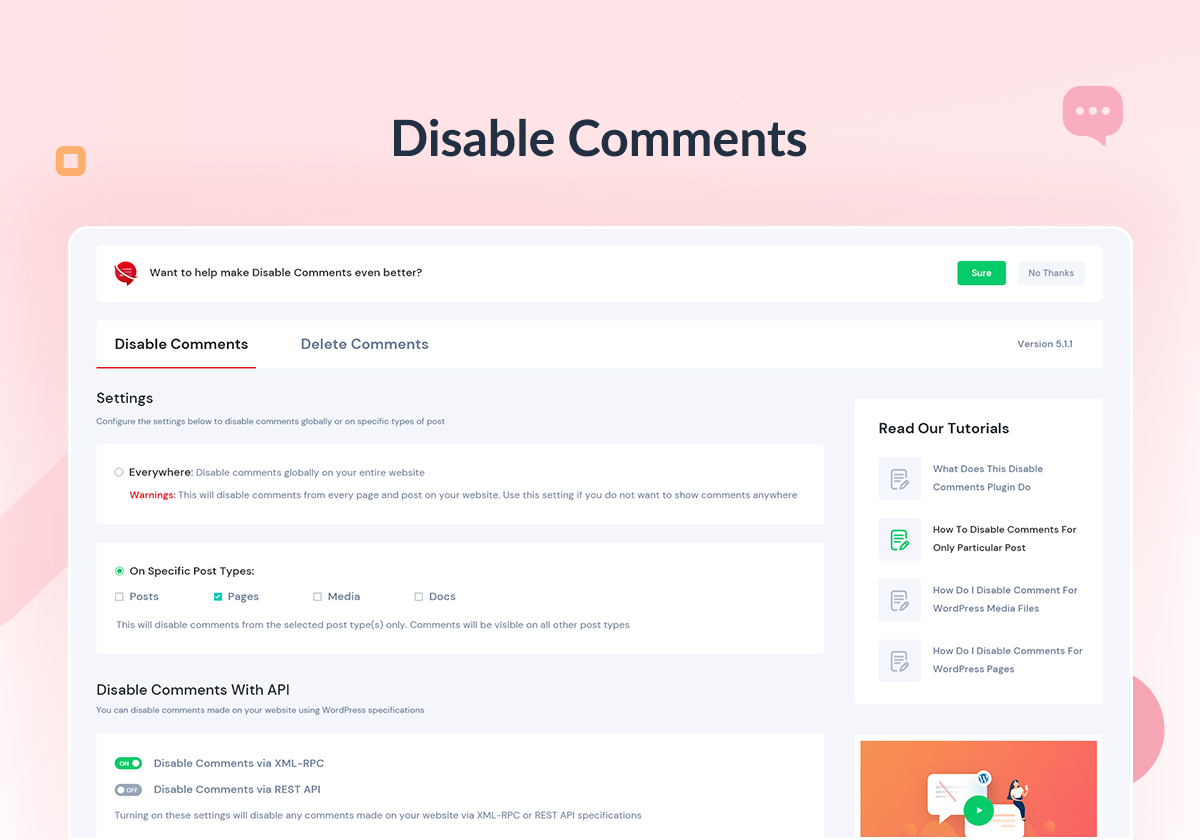
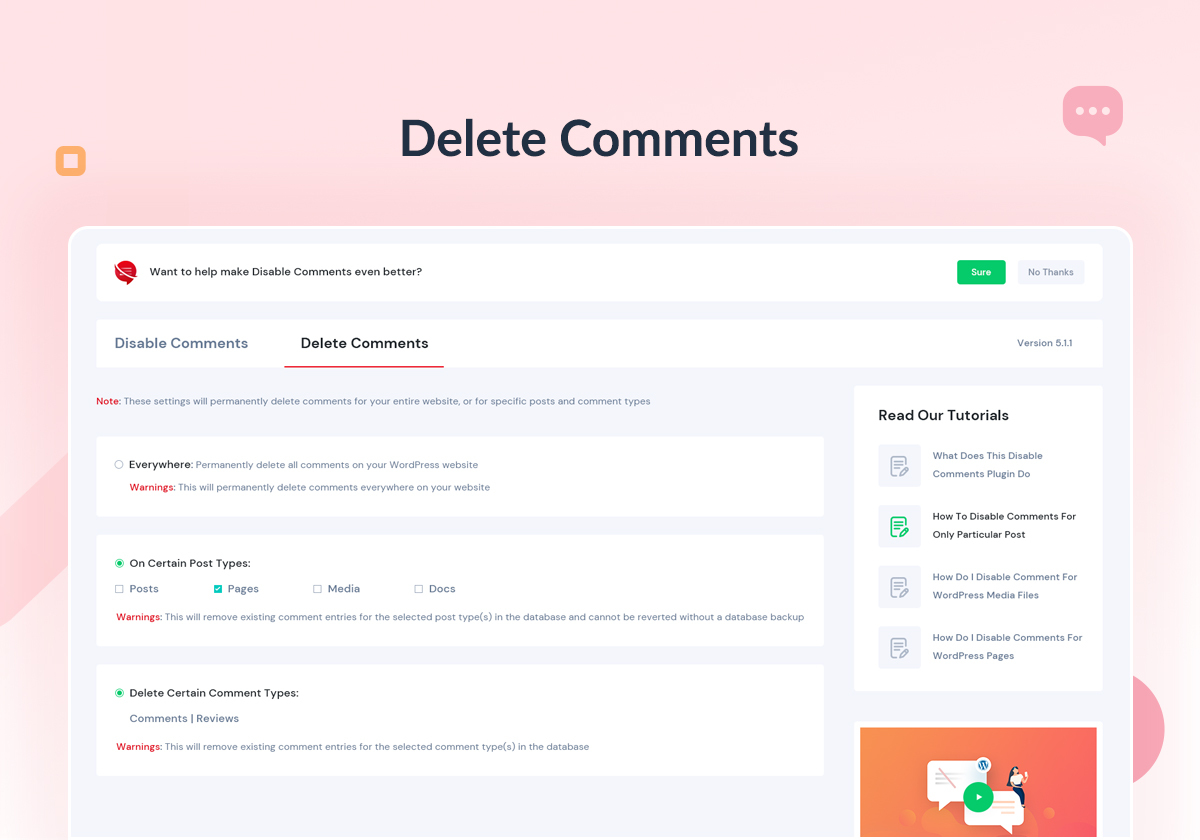
In fact, all functions of this plug-in that disable comments can be achieved through some code. Disable Comments provides novice users with a simple and easy-to-use interface, which can help users who are not good at technology use it quickly. This should be the main meaning of this plug-in.