
In e-commerce websites, a product filter is often needed, such as the filter on the left side of the Amazon product list page. When using WordPress to build an e-commerce website, most users will choose the WooCommerce plug-in. The product filter that comes with the WooCommerce plug-in is not very powerful, so the product filter plug-in WooCommerceAJAX Filters appeared.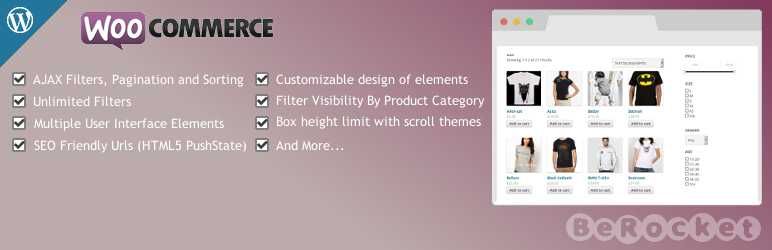
WooCommerceAJAX Filters plugin functionality
- AJAX filtering, paging and sorting
- There is no limit to the number of filter conditions
- Multiple user interface elements
- SEO friendly link URL
- You can set filtering in a certain category or display filtering globally.
- Filter conditions can be displayed via shortcodes
- It is possible to limit the height of filter boxes in scrolling themes
- Can be used in the sidebar area
- Drag and drop to adjust layout
Recently added features
- There is no filtering widget to add different custom CSS classes.
- Update Button – Whether to start filtering when the update button is clicked.
- Whether to deselect a selected radio button when clicked.
- The URL is shortened for better structure.
- Widgets can display subcategories.
shortcode
- Use in the visual editor:
[br_filters attribute=price type=slider title="Price Filter"] - Use in PHP code:
do_shortcode('[br_filters attribute=price type=slider title="Price Filter"]');
Shortcode options
小工具类型widget_type– filter or update_buttonattribute(required) – Product attributes, such as price or length. Don’t forget that WooCommerce adds a pa_ prefix to the product attributes. If you add the area attribute, the attribute name here should be pa_areatype(required) – Multiple selection, radio selection, slider and drop-down selection.比较方法– OR or AND标题– The title of the filter tool, which can be empty.父级产品分类product_cat– Parent product category ID是否分页– Whether to display pagination, set 1 to display pagination- high
height– The maximum height of the filter tool. If the maximum height is exceeded, a scroll bar will appear. - scrolling theme
scroll_theme– Select the theme of the scroll bar, which is only used when a fixed height is set and the content exceeds the fixed height.
Advanced settings (widget area)
- CSS Class – If you need to add custom styling to the filter tool, add the css class here.
- Filter widget height – if there is too much content in the settings options, set a fixed height to prevent the filter from taking up too much of the interface height
- Scroll theme – If “Filter widget height” is set, you can set a scroll bar theme here
Advanced settings (plugin settings):
- You can find the advanced settings of the plugin in WooCommerce->Product Filtering in the admin interface
- “No product” prompt message – Prompt message when no product is found
- “No Product” CSS Class – Add CSS class to the “No Product” tooltip block
- Product Selection – Tags for Product Selection
- Sort Controls – Control WooCommerce’s sorting options
- SEO Friendly URLs – After selecting the filter, the URL will be modified
- Turn off all filtering options – Turn this off if you want to hide filtering tools without losing your current settings
The Advanced AJAX Product Filters widget provides us with some very practical setting options. We can integrate this widget in any style of theme by slightly adjusting the CSS of the filter widget. Compared with the built-in filter widget in WooCommerce, setting up a plug-in can instantly improve the product filtering experience of WooCommece. It is well worth trying.