
Friends who are familiar with WordPress custom queries may know thatWordPress custom querySupports a variety of article sorting methods, and also supports sorting by menu. Unfortunately, the article list page in the WordPress dashboard does not provide the function of manually sorting articles. Users who really need this function have to find a plug-in to implement it. The Anything Order plugin allows us to sort posts, pages, categories and custom taxonomies by dragging and dropping. I won’t go into details about how to install the plug-in, just install it directly in the background.
Main functions of the plug-in
- Supports any article type or taxonomy
- Supports multiple selection of articles or categories. Hold down the CTRL key and click on the files to be sorted to select them.
- The required permissions are: article sorting-‘edit_others_posts’, category sorting-‘manage_terms’
- Use WordPress’ built-in data directly without adding any data tables to the database
Illustration of how to use the plug-in
After the plug-in is installed, there is no setting interface. As shown in the picture below, if you can see two small arrows in the front column of the article list page, it means that the Anything Order plug-in has been successfully enabled.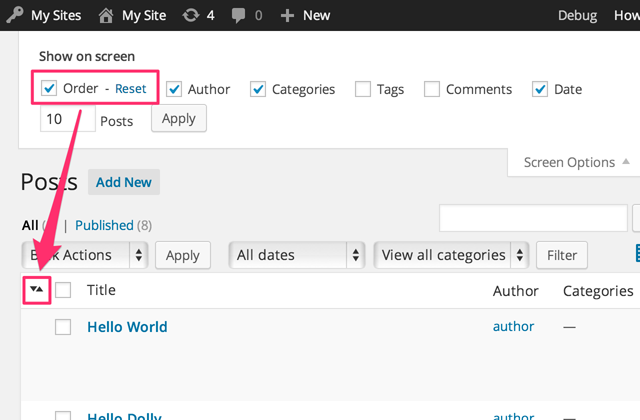 You can sort by dragging articles or categories directly.
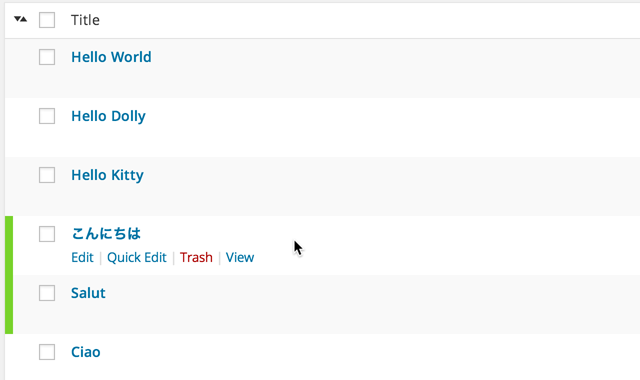 For a CMS site, the sorting function of articles is very important. With this plug-in, we don’t have to worry about the order when publishing articles or categories.