
Friends who have used the default photo album function of WordPress know that the built-in photo album function of WordPress is displayed in the form of a picture list, and the display effect is relatively ordinary. Many users want to use the more gorgeous Slider slide album effect, as shown below.
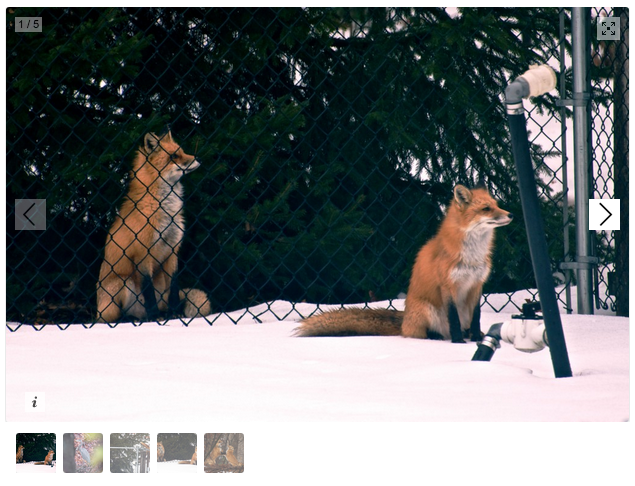
Our previous approach was to add a custom field that can upload multiple pictures, and then call this custom content on the article page, combined with Galleria js, to generate the Galleria album effect. This is obviously more troublesome.theme developmentFrom a perspective, a lot of code is added to the theme, which will inevitably extend the theme development time; on the other hand, users also need to learn costs when using custom fields. until we found outGalleria photo album plug-in。
This plug-in uses WordPress’s default album management function. When adding an album, you can directly select pictures in the background and click to add a new album. The learning cost is almost zero.
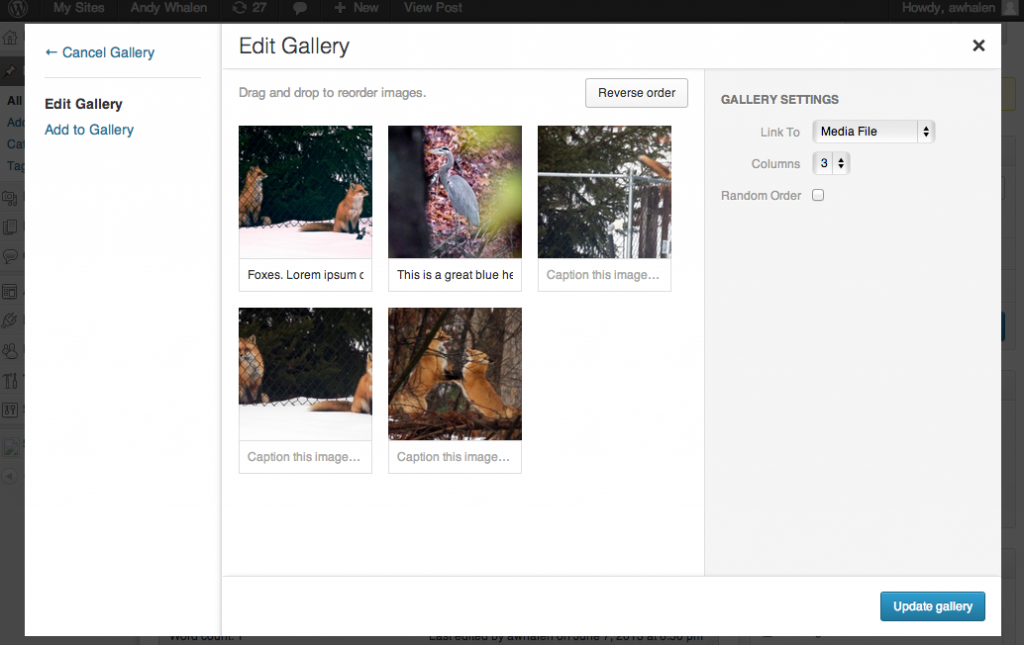
After the addition is completed, click to view the article and you will see the album effect shown in the first picture of this article, which is very convenient.