
When we use WordPress as a CMS, the default article fields sometimes cannot meet our needs. For example, I need to add price, specifications, origin, shipping and other information to the product article type. At this time, we need to implement it through custom fields, as shown below.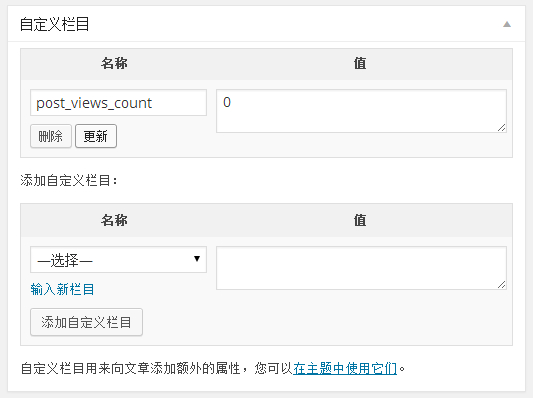
The custom field management function that comes with WordPress is not easy to use
But it comes with WordPressCustom fieldsThe function is very difficult to use. When entering some text content, the default custom field management function can basically be used. When I need to add some more advanced content, for example, I need to upload some files, select a color or date, at this time, the custom field management function that comes with WordPress seems to be somewhat inadequate.
So there is the Piklist plug-in
The Piklist plug-in extends the WordPress API. Just by defining a series of arrays, we can add a very convenient custom field input function. For example: In the WordPress backend, how many lines of code are needed to implement such multiple options without plug-ins? I haven’t tried it, but friends who have tried it can tell me. Instead use the Piklist plugin.
  piklist('field', array(
    'type' => 'checkbox'
    ,'field' => 'services'
    ,'label' => '服务内容'
    ,'description' => '选择提供服务的内容。'
    ,'value' => 'third'
    ,'choices' => array(
      '网站策划' => '网站策划'
      ,'创意设计' => '创意设计'
      ,'网站建设' => '网站建设'
      ,'网站托管' => '网站托管'
      ,'SEO优化'  => 'SEO优化'
    )
    ,'on_post_status' => array(
      'value' => 'lock'
    )
  ));
Yes, you read it wrong. With just these few lines of code, you can achieve functions that may require dozens or hundreds of lines of code.
Input types supported by Piklist
The above is just an example. The Piklist plug-in can also support more input types, and the definition methods are as simple and straightforward as the above aspects.
- File upload
- Hidden fields
- add more
- Conditional display
- Multiple choice fields
- Color selection field
- Date selection field
- WordPress visual editor fields
- Radio field
- Drop down selection field
- Single line text field
- paragraph text field
- Article relationship fields
- HTML fields
In addition to custom fields, Piklist can do a lot more
As an application development plug-in, custom fields are only part of the powerful features of Piklist. In addition to custom fields, Piklist also supports the following features.
- Add settings page and settings page fields
- Custom post types and custom taxonomies
- User defined fields
- Gadget development
How to call data added through Piklist field
As we said before, Piklist extends some functions of WordPress. The method of calling a field is the same as the WordPress standard API.
- Article custom field: get_post_meta
- Classification custom field: get_term_meta
- Set option field: get_option
Piklist’s official articles are also very simple and clear, and can be understood by friends who have basic English proficiency. Moreover, Piklist officially provides a communication forum for Piklist users to discuss problems and express opinions and suggestions. I asked a question in the forum, and the author’s reply was very fast. Plklist plug-in URL:https://piklist.com/