We know that the dashboard page is the default page of the WooCommerce My Account area. But this page is fairly weak. Other than showing a few links, it does not provide much information. To simplify the user experience, we can remove that page. Then when users click the “My Account” page, they will go directly to the orders list page, which makes it easier for them to review their orders.
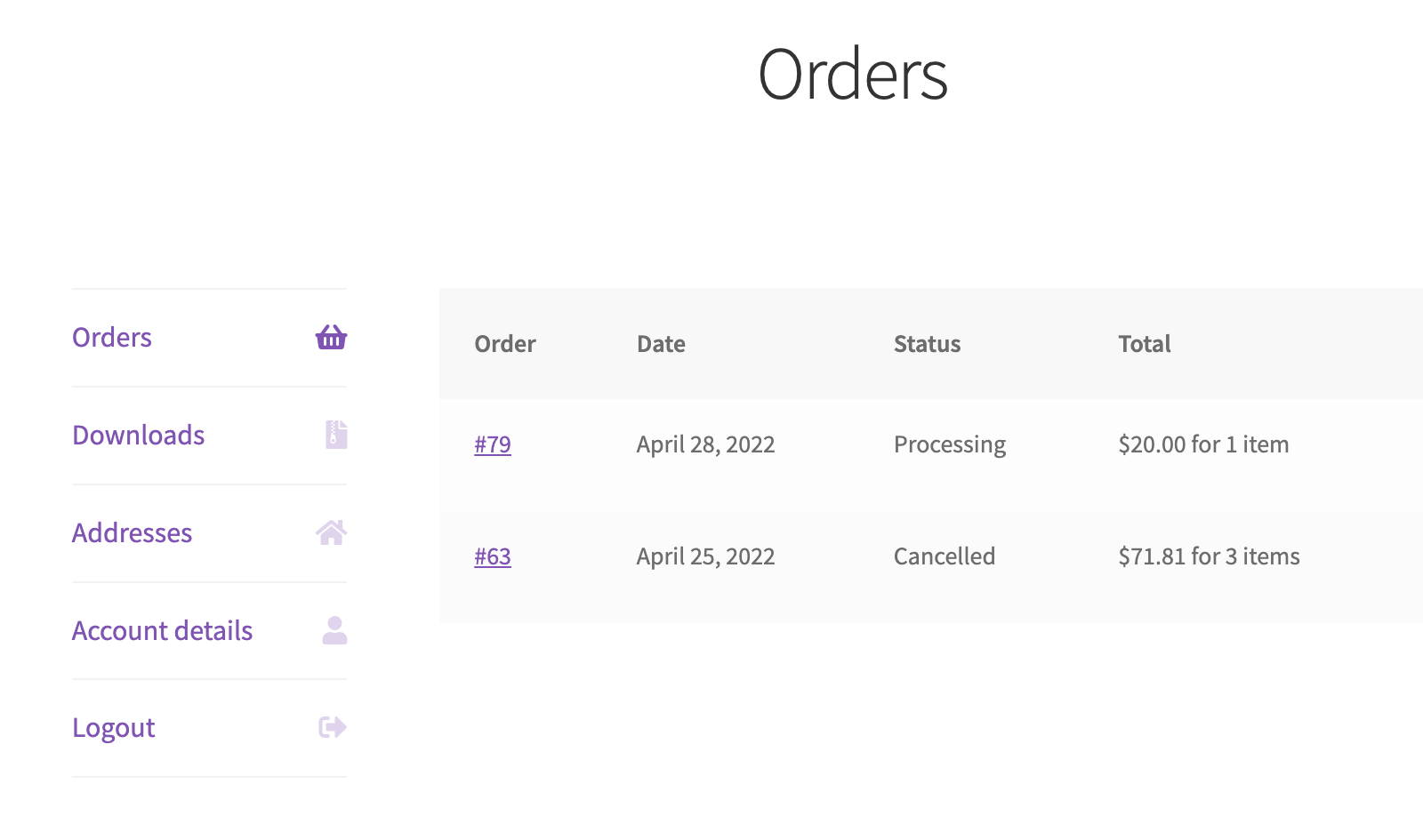
First, remove the dashboard menu item
Implementing this step is very easy. We just use the woocommerce_account_menu_items hook to remove the menu item.
add_filter('woocommerce_account_menu_items', function ($menu_links) {
    unset($menu_links['dashboard']);
    return $menu_links;
});
But that alone is not enough. If we use wp_get_page_permalink( 'myaccount' ) in the theme to display the My Account link, that link still points to the dashboard page by default. We therefore need to redirect that page to the orders list page so users do not run into a missing page when they click the My Account link.
Redirect the dashboard page to the order list
The redirect logic is shown below.
add_action('template_redirect', function () {
    if (is_account_page() && empty(WC()->query->get_current_endpoint())) {
        wp_safe_redirect(wc_get_account_endpoint_url('orders'));
        exit;
    }
});- The
template_redirecthook is triggered on every page of the site. When we need to redirect a page, we can hook our callback onto it. - In the redirect condition, it is not enough to check only whether the current page is the My Account page, because that function returns
truefor every account page. We also need to check whether the current endpoint is empty. The dashboard page is the only account page without an endpoint. Without that extra condition, the redirect could easily become an infinite loop.