Choosing the right e-commerce platform is a critical decision. It directly impacts your online business’s growth and efficiency. Currently, the most popular e-commerce platforms are Shopify and WooCommerce. Before deciding between the two, understanding their respective features, pros, and cons can help you make a more informed decision.
Quick Comparison Between Shopify and WooCommerce
I have prepared this Shopify vs WooCommerce comparison guide to help you choose between the two.
| Feature | Shopify | WooCommerce |
|---|---|---|
| Market Share (2024) | 26.2% of all e-commerce stores, strong performance in high-traffic sites. | 20.1% of all e-commerce stores, very popular among small custom WordPress sites. |
| Ease of Use | All-in-one platform suitable for beginners, quick setup. | Requires WordPress experience; offers extensive customization but has a learning curve. |
| Customization | Limited by the platform; advanced features rely on paid apps. | Full control over design and functionality with open-source flexibility. |
| Cost Structure | Monthly subscription; additional transaction fees if using third-party gateways. | Core plugin is free; hosting, domain, and premium plugins increase initial costs. |
| Transaction Fees | Paid unless using Shopify Payments. | WooCommerce itself does not charge any transaction fees, regardless of the gateway used. |
| Scalability | Upgrade to higher plans; straightforward but can be expensive. | Highly scalable based on hosting choice and technical configuration. |
| App Ecosystem | Wide app store with over 6,000 applications. | Can use WordPress plugins and themes; many free and paid options available. |
| Content Integration | Limited blogging and content options. | Built on WordPress, ideal for SEO, blogging, and content-driven marketing. |
| Customer Support | 24/7 support via chat, email, and phone. | Support provided through hosting services, community forums, and some premium support options. |
| Target Audience | Beginners or users wanting a managed, hassle-free solution. | Enterprises needing full customization, content integration, and infrastructure control. |
| Custom Development Difficulty | Due to its closed system, custom development is more difficult and expensive. | Relatively easy custom development with many third-party service providers. |
Shopify vs WooCommerce Market Share: Who’s Winning?
As of 2024, Shopify leads the e-commerce platform market. According to Mobiloud data, among all online stores, Shopify accounts for approximately 26.2%, or about 4.65 million sites. WooCommerce follows closely with 20.1% of the e-commerce market, supporting over 3.5 million sites with its checkout functionality, and even more sites using WooCommerce elements.
Among the top 1 million e-commerce stores, Shopify continues to maintain its lead with a 28.8% share, while WooCommerce accounts for only 18.2%.
These figures highlight Shopify’s popularity among large-scale, high-traffic sites, while WooCommerce’s open-source flexibility makes it the favorite for smaller, customizable storefronts in the WordPress ecosystem.
Shopify Overview

Shopify is a SaaS (Software as a Service) e-commerce solution. This means it provides all the tools you need to build, customize, and manage an online store without requiring you to handle technical details like hosting, security, or software updates.
However, it is worth noting that Shopify is owned and operated by a private company, Shopify Inc. This means the platform is closed-source and not self-hosted. In other words, you do not own the software or infrastructure behind the store.
Instead, you are essentially renting Shopify’s ecosystem, including servers, software, and customer support. While this setup offers convenience, reliability, and scalability, it also means you must adhere to the company’s pricing, terms of service, and potential limitations.
Key Benefits of Shopify
As a managed e-commerce solution, Shopify offers a range of benefits that self-hosted solutions do not, making it a top choice for creators, influencers, and even large brands. Its all-in-one platform takes care of hosting, security, payment processing, and updates, so you can focus on store design and business growth.
Shopify’s simplicity and reliability make it especially attractive to web creators and influencers. Their presence in advertisements on sites like YouTube is one of the reasons I’m paying more attention to Shopify this year.
MrBeast, one of the most popular YouTube users in the world, is a prominent example; he uses Shopify to power his merchandise store, mrbeast.store. With millions of fans globally, MrBeast absolutely needs a reliable platform capable of handling high traffic. His merchandise drops and promotions generate huge volumes of orders, and Shopify can handle these demands seamlessly, demonstrating its powerful capabilities.

By removing the complexity of running an online store, Shopify allows “amateur enthusiasts” like us and creators like MrBeast to focus on what we do best: connecting with audiences and building brands.
Let’s look at the main advantages of Shopify below.
Ease of Use
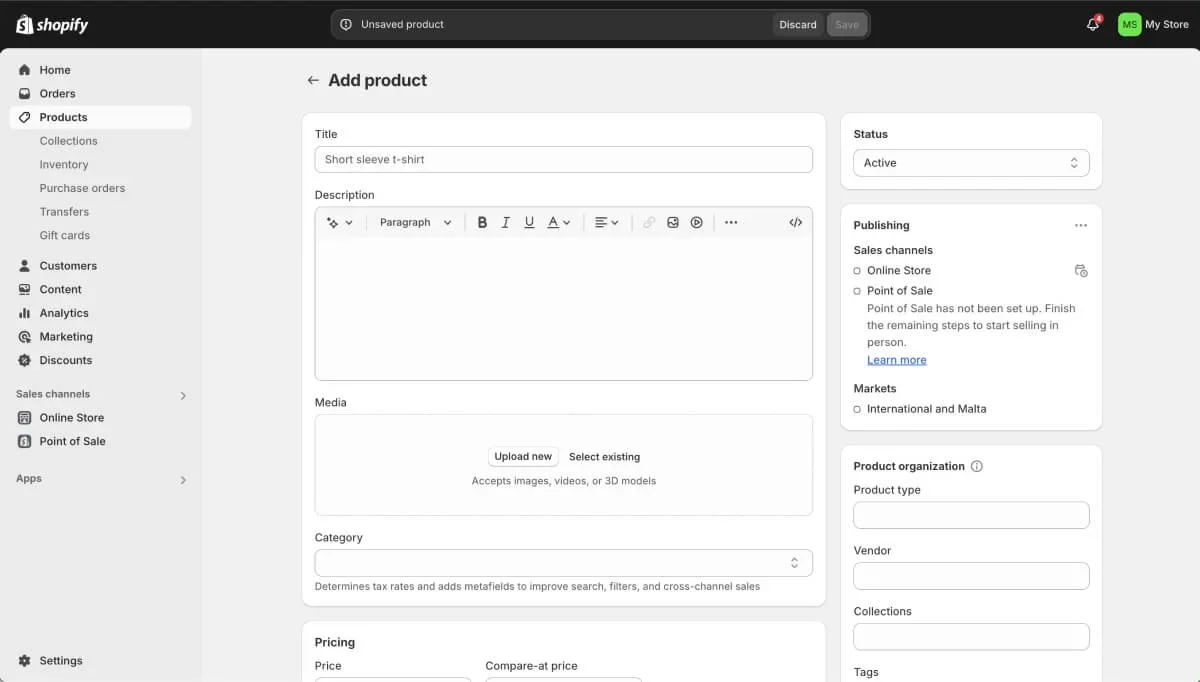
Shopify’s intuitive dashboard makes it easy to build and manage your store without any technical skills. You can be up and running in a few hours, with access to a streamlined interface for managing orders, tracking inventory, and analyzing sales performance.
All-in-One Solution
Shopify is a complete, managed solution, which means it includes hosting, SSL, and built-in security. You don’t have to deal with each item separately, as I do when using WordPress and WooCommerce.
Expansive App Ecosystem
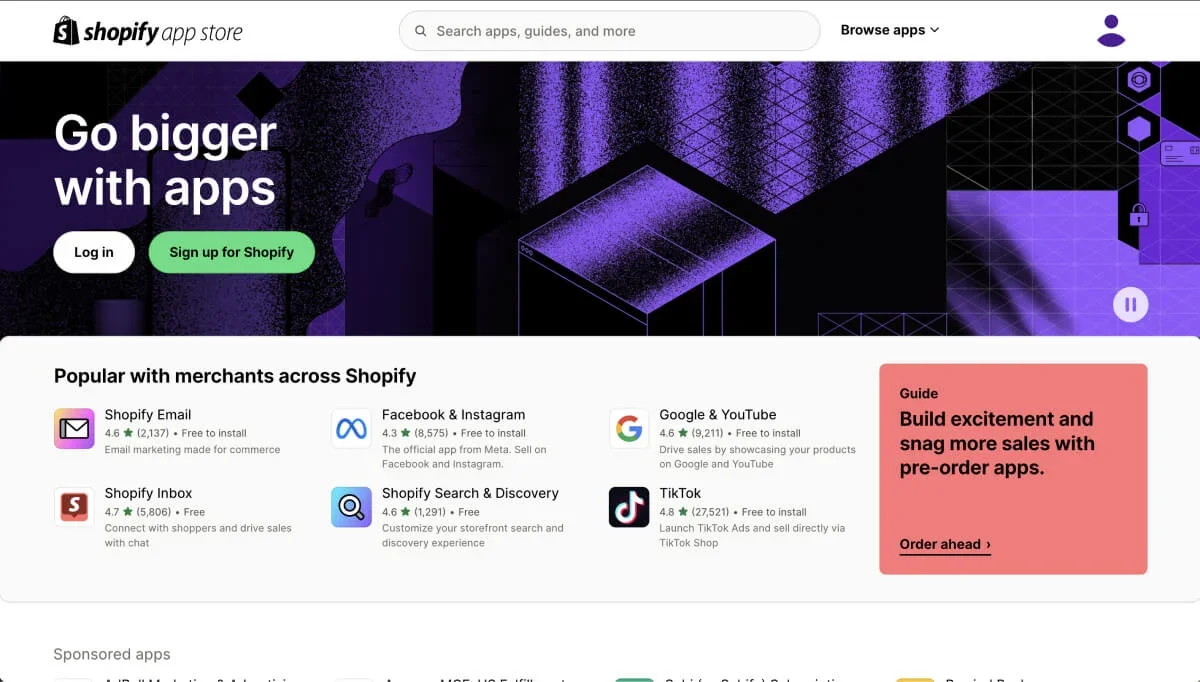
Shopify’s App Store offers over 6,000 applications. I’ve found everything from SEO tools to inventory management and email marketing. Most of the apps you need can be found in the App Store, especially for newly opened stores.
24/7 Customer Support
Shopify provides 24/7 support via chat, email, and phone. For businesses new to e-commerce, this level of support can help them successfully complete setup or resolve unexpected issues.
Drawbacks of Shopify
As a managed solution, Shopify also brings some limitations and drawbacks you should consider. If you plan to keep operations small, these may not affect your store initially, but they can have an impact as you scale.
Limited Customization Options
Because Shopify runs in a closed ecosystem, customization options are limited to what the platform allows. Advanced features may require paid applications, which can increase your monthly costs.
Transaction Fees and Scaling
Unless you use Shopify Payments, Shopify charges transaction fees on every sale, which can affect profits in the long run. Depending on the plan you use, transaction fees range from 2% to 0.2%.
Similarly, Shopify’s subscription fees and app costs increase over time, raising the cost of a growing business.
WooCommerce Overview
WooCommerce is a free, open-source plugin specifically designed for WordPress and is one of the most common solutions for creating and managing online stores. As an open-source tool, WooCommerce offers unparalleled customization features, allowing businesses to create unique storefronts based on their specific needs.
This level of control makes WooCommerce the ideal choice for businesses that prioritize flexibility and want to build e-commerce that perfectly aligns with their brand image. WooCommerce is especially suitable for developers, agencies, or tech-savvy entrepreneurs who want to manage their own hosting, security, and updates.
Additionally, WooCommerce’s open-source nature fosters a vibrant community of developers and contributors, ensuring a constant flow of extensions, themes, and resources.
While this approach provides greater freedom and scalability, it may require more hands-on involvement and technical knowledge compared to simpler, fully managed solutions.
Key Benefits of WooCommerce
In contrast to Shopify, because WooCommerce is self-hosted, you can use it however you want (or within the scope of your wallet). This is also the main reason WooCommerce has grown to become a widely used e-commerce platform over the past decades.
Customization Options
Using WooCommerce, you have the freedom to control every aspect of your store, from design to functionality. You can use custom code, third-party plugins, or integrate custom checkout flows to make your store unique.
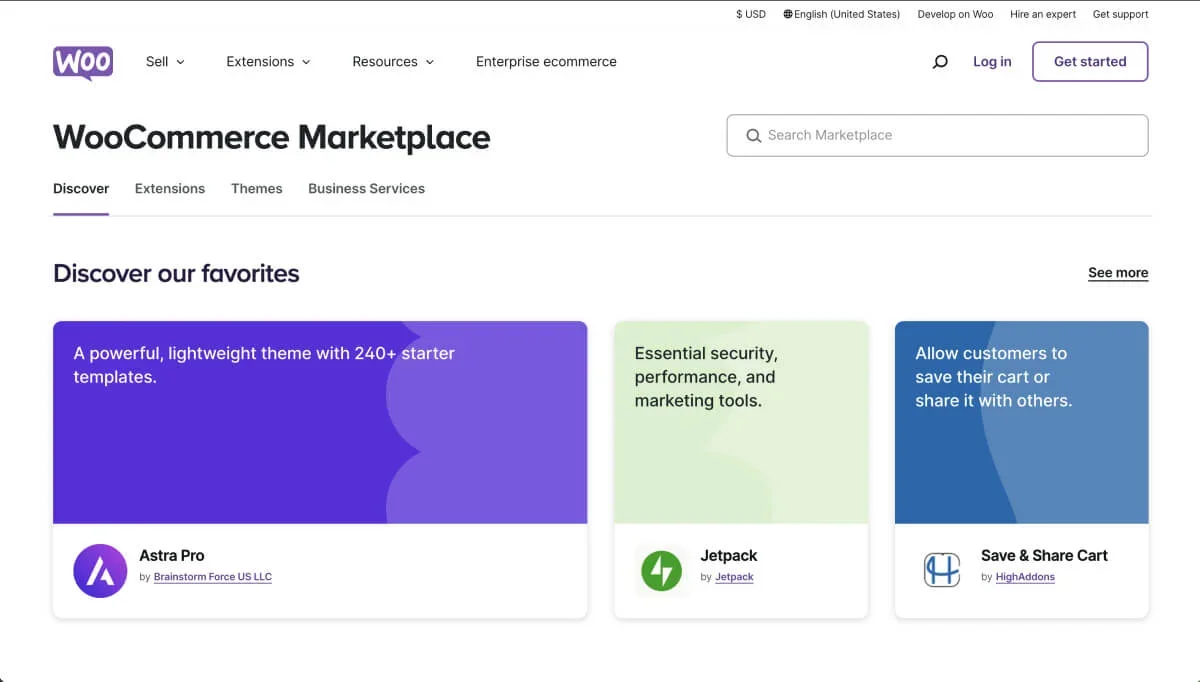
There are thousands of third-party WooCommerce plugins that can do almost anything. From building sales funnels to integrating shipping solutions, I’ve seen it all over the years.
No Transaction Fees
WooCommerce itself does not charge transaction fees, so you can maximize your profit margins. Unlike Shopify, you can integrate almost any payment gateway without paying extra fees.
Some gateways do require premium plugins, but the license fees for these plugins usually range from $29 to $99 per year, which won’t hurt your store’s profits.
Scalability and Control
WooCommerce allows you to choose your hosting provider and scale as you grow.
Nowadays, most top-tier hosting companies offer specialized WooCommerce hosting. They provide everything you need to run a fast, scalable e-commerce store, often including managed hosting where they handle most of the technical issues.
Built-in Content Integration
Built on WordPress, WooCommerce provides you with a simple way to add blogs, guides, and landing pages to realized content-driven marketing strategies, which is a natural advantage for SEO.
Drawbacks of WooCommerce
For shop owners who don’t understand technology and don’t want to get too involved in the day-to-day behind-the-scenes work, WooCommerce may not be the best choice.
The open-source and self-hosted nature means you need to be more involved in building and maintaining your own platform. For over a decade, I’ve been doing this for our site. While problems don’t appear every day, once they do, you must know what you’re doing, or someone on the team must know what they’re doing.
Technical Knowledge Required
Compared to Shopify, WooCommerce has a steeper learning curve. For beginners, managing virtual hosting, SSL, and security can be challenging, but these elements provide control that managed solutions do not.
If someone in your team understands all these aspects and can optimize them for you, that’s great. Otherwise, over time, this will become an issue and may cause you more headaches than you expect. For example, compatibility issues between third-party plugins will become a reality early on.
Higher Initial Setup Costs
While WooCommerce itself is free, the cost of hosting, domain, and premium plugins also adds up. This isn’t just to get your store online; you’ll also need to maintain and develop it over the long term.
Because WooCommerce isn’t out-of-the-box like Shopify, we need more setup for WooCommerce to make it work properly; of course, if you’re tech-savvy, you can also easily find third-party technical service companies to help you.
How I Compared Shopify vs WooCommerce
To evaluate Shopify fairly, I invested a significant amount of time researching its features, strengths, and nuances to find the main differences between the two platforms. In this process, I focused on several key areas that are most relevant to businesses making a choice between the two platforms.
Ease of Use vs. Flexibility
Shopify’s ease of use is one of its strongest selling points, making it the best choice for beginners and entrepreneurs who value simplicity and speed. Here are a few main reasons I like Shopify:
- It provides a step-by-step onboarding process to help you easily build your own store. From choosing a theme to adding products and configuring payments, the platform guides you at every stage, eliminating the guesswork.
- Shopify has a variety of professionally designed themes to choose from, allowing users to quickly create visually attractive storefronts. These themes are responsive, ensuring your store looks great on any device.
- Shopify’s intuitive drag-and-drop design editor lets you customize your store without any coding knowledge. You can easily rearrange elements, edit content, and adjust colors and fonts to match your brand.
- Shopify’s tools and themes are mobile-friendly out of the box, allowing you to manage your store from any device and provide a great shopping experience for customers.
In addition to visual elements, Shopify helps in other technical areas:
- Shopify handles hosting, so you don’t have to worry about finding servers or managing technical settings. It also has built-in SSL encryption, ensuring your store is secure from the start.
- The Shopify App Store provides a massive number of applications to extend store functionality with just a few clicks. From marketing tools to inventory management, most features can be added without any technical knowledge.
- Shopify Payments is fully integrated, making it easy to start accepting payments immediately. External gateways like PayPal or Stripe also require minimal setup to enable.
For users who run into difficulties, Shopify’s 24/7 customer support team can help quickly resolve issues via live chat, email, or phone.
Unlike self-hosted solutions, Shopify even handles software updates automatically, ensuring your store is always using the latest features and security patches.
In short, whether it’s server maintenance, troubleshooting, or performance optimization, Shopify can solve the technical issues for you, allowing you to focus entirely on running your business.
These features make Shopify an ideal choice for users who value speed and zero-configuration setup, allowing them to launch and grow their own stores without being bogged down by complex technical issues.
On the other hand, WooCommerce requires familiarity with WordPress because it’s a plugin for that platform. While the learning curve for this setup is steeper, it provides you with greater flexibility and control.
If your business is looking for a truly unique storefront, you’ll find WooCommerce’s open-source nature very suitable for customization, allowing you or your developer to customize every aspect of the store.
Cost Structure
Shopify’s monthly fees are predictable, unless you use Shopify Payments, otherwise some apps and transaction fees will incur extra costs.
If managed properly, WooCommerce’s overall cost is generally lower, but the requirements for hosting, security, and advanced plugins can quickly add up!
Store Setup, Customization, and Control
If your goal is to build a completely customizable store with unlimited control, then WooCommerce is the better choice. Shopify can be customized within a certain range, but it relies on third-party applications and cannot provide the same flexibility and control as WooCommerce.
Scalability
Both platforms are scalable, but in different ways. Shopify offers structured growth plans, while WooCommerce lets you scale through choosing more powerful hosting options and adding custom features as needed over time.
Payment Options
Shopify favors its internal Shopify Payments and charges fees for external gateways, while WooCommerce integrates with any payment processor without charging extra transaction fees. However, some payment gateway integrations are paid, so you’ll need to pay an annual fee to continue using them.
Store Designs and Themes
For businesses looking to create a brand shopping experience, design flexibility is a key factor. Both Shopify and WooCommerce offer a massive number of themes and customization options, but they take different approaches to design. Below is a breakdown of each platform’s design capabilities.
Shopify’s Streamlined and Professional Themes
Shopify offers carefully curated themes in its Shopify Theme Store, both free and premium. The platform emphasizes high-quality, mobile-responsive design that can be easily set up with minimal customization.
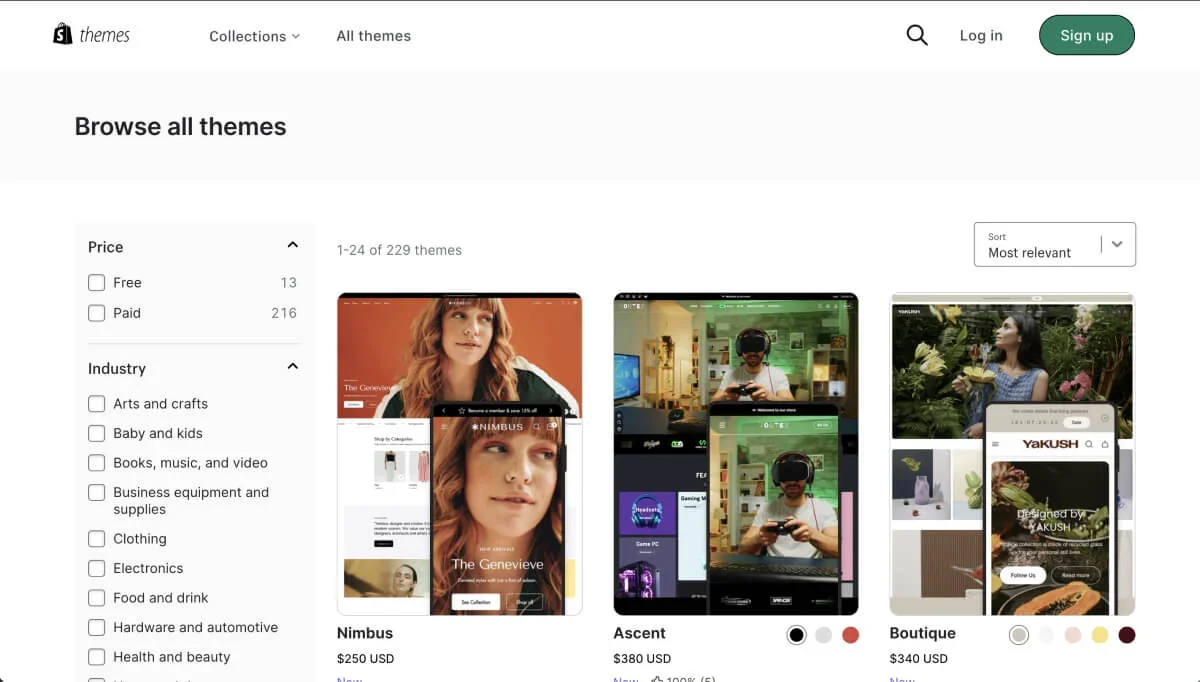
Below is a brief introduction to how Shopify themes work:
- Shopify themes are easy to design, with customizable headers, footers, and featured product sections. Use Shopify’s drag-and-drop editor for easy editing, suitable for users without design experience.
- All Shopify themes are mobile-optimized by default, ensuring your store looks professional on all devices from the start.
- While free themes are available, many users opt for premium themes (ranging from $150 to $350), which offer more advanced layouts and customization options.
- Shopify themes come with built-in support, meaning you can get help from the Shopify team or theme developers for troubleshooting and adjustments.
Shopify’s closed system means that outside of what’s available in the Shopify Theme Store and its features, customization options can be limited. Many advanced design changes require code modifications or third-party apps, which obviously increases your costs.
WooCommerce: Using WordPress Themes, Design is Completely Free
Built on WordPress, WooCommerce users can access a vast library of themes, ranging from free options to highly customizable premium themes. WooCommerce’s flexibility makes it the top choice for brands with specific design requirements.
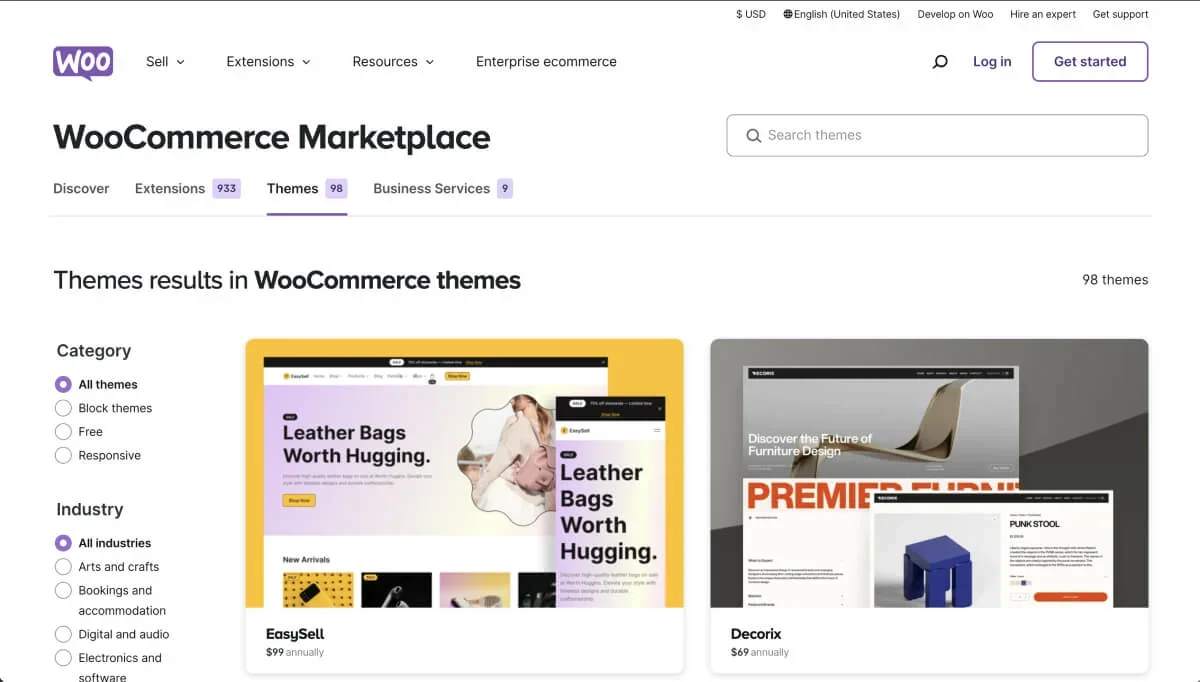
Here’s why WordPress themes might be better for you:
- WooCommerce integrates with almost any WordPress theme, offering thousands of options. Popular builders like Elementor, Divi, and Bricks also integrate directly with WooCommerce, providing massive customization options.
- WooCommerce themes come in a variety of price points, from free themes to premium options ranging from $40-100. Additionally, you can add specific features through WordPress plugins, which offers flexibility but also increases (potentially significantly) your annual costs.
- WooCommerce’s open-source framework allows users to execute custom code at any time based on needs, so you can freely change almost every aspect of the design to fit your brand. However, when WooCommerce or third-party plugins release updates, custom code may be broken, so please pay close attention and test regularly.
While WooCommerce offers essentially unlimited design freedom, it requires more time and sometimes technical knowledge to set up and maintain. Additionally, WooCommerce theme quality varies, so choosing a theme provider with a good reputation is critical.
Conclusion
Shopify and WooCommerce each have their pros and cons, catering to different business needs. Shopify’s ease of use makes it the ideal choice for beginners, while WooCommerce’s customization options provide the flexibility needed for advanced users to grow.
After reading this article, if you’re struggling to choose between Shopify and WooCommerce, feel free to contact us via the contact method on the right side of the website and have a chat. We will provide professional advice based on your business type.