WooCommerce provides a rich ecosystem of hooks (actions and filters) that allow developers to intercept and modify the order process at almost any point. Whether you’re building a custom payment gateway, a tracking integration, or an automated fulfillment system, knowing exactly when each hook fires is crucial. In this guide, we’ll map out the complete order lifecycle.
1. Frontend Checkout Process
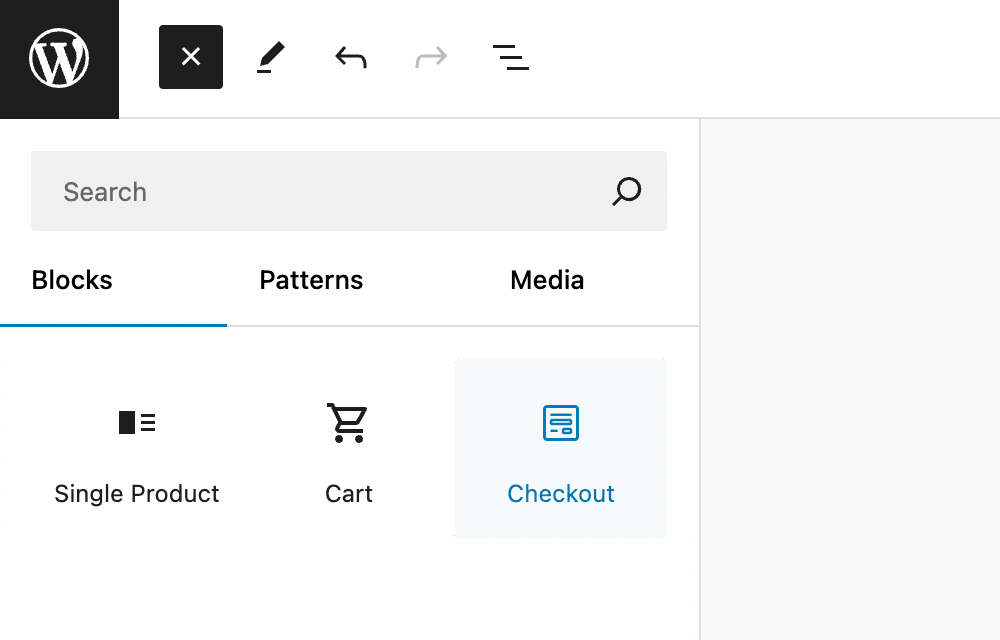
There are now two main checkout experiences in WooCommerce: the Classic Checkout (shortcode-based) and the modern Block Checkout. The hooks triggered differ slightly between them.
Classic Checkout Hooks

- woocommerce_checkout_create_order: Fires before the order is saved to the database. Best for modifying order data before persistence.
- woocommerce_new_order: Fires after the order and its meta data are saved.
- woocommerce_checkout_order_created: Fires after the order is fully created during checkout.
- woocommerce_checkout_order_processed: Triggered after successful order creation but before payment processing.
- woocommerce_payment_complete: Triggered once payment is successful (except for some gateways).
- woocommerce_thankyou: Fires on the ‘Thank You’ (Order Received) page. Note: This may not trigger if the user doesn’t stay on the site for the redirect.
Block-Based Checkout Hooks
- woocommerce_new_order: General order creation hook.
- woocommerce_update_order: Fires during the draft-to-pending status transition. (Warning: can trigger multiple times).
- woocommerce_store_api_checkout_order_processed: Specific to the Store API used by blocks.
- woocommerce_payment_complete: Standard payment success hook.
2. Manual Admin Updates
When working in the WooCommerce backend, avoid using general WordPress hooks like save_post for orders. They are not designed for WooCommerce’s specialized high-performance data structures. Instead, use:
- woocommerce_new_order: When a new order is manualy created.
- woocommerce_update_order: When an existing order is updated.
To ensure your code only runs when initiated from the admin dashboard, you should verify the nonce:
add_action( 'woocommerce_update_order', function( $order_id, $order ) {
    if( isset( $_REQUEST[ '_wpnonce' ] ) && wp_verify_nonce( $_REQUEST[ '_wpnonce' ], "update-order_{$order_id}" ) ) {
        // Handle admin-initiated update
    }
}, 10, 2 );
3. Order Status Transitions
Tracking status changes is the most common requirement for integrations. Use the dynamic status transition hook for precise control:
- woocommerce_order_status_{$status_from}_to_{$status_to}: (e.g.,
woocommerce_order_status_pending_to_processing). - woocommerce_order_status_changed: A generic hook that passes the old and new status as parameters.
4. Deletions and Refunds
- woocommerce_before_trash_order: Before an order is moved to trash.
- woocommerce_trash_order: After an order is moved to trash.
- woocommerce_order_fully_refunded: Triggered after a full refund is processed.
- woocommerce_order_refunded: A generic hook for any refund activity.
Understanding these hooks allows you to build robust, performant WooCommerce extensions that integrate seamlessly with the core platform logic.