Before getting into the implementation, let us first look at the effect below. The screenshot was captured with QQ, so it is not very clear, but it still shows the basic idea.
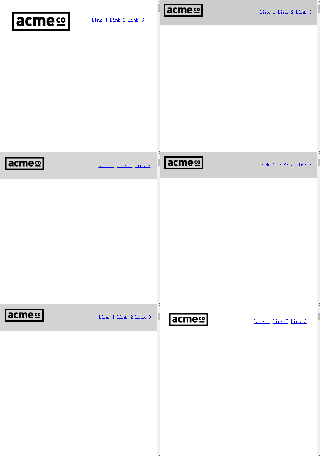
How can we build an effect like this? A common approach is to use the jQuery Waypoints plugin, but in fact we do not need a jQuery plugin at all. A very short piece of jQuery code is enough, as long as it is combined with CSS3 transitions. The effect may be a little worse in browsers below IE9, but the core implementation is very simple. The key code for the effect above is shown below.
First, use jQuery to detect page scrolling. When the page scroll position is greater than 120 pixels, add the small class to the nav element. Otherwise, remove that class. This is a little similar to an earlier article on this site about adding a back-to-top feature to WordPress, because both effects are based on checking scrollTop.
$(document).on("scroll", function() {
  if ($(document).scrollTop() > 120) {
    $("nav").addClass("small");
  } else {
    $("nav").removeClass("small");
  }
});
Next, we also need CSS to support the effect. First, the top navigation needs to stay fixed, and when its state changes, we add a CSS3 transition.
nav {
  height:141px;
  background:#fff;
  border-bottom:1px solid #ccc;
  width:100%;
  position:fixed;
  top:0;
  left:0;
  z-index:10;
  -webkit-transition:all .3s;
  -moz-transition:all .3s;
  transition:all .3s
}

nav.small {
  height: 51px;
}
Once the page scroll distance exceeds 120 pixels, the navigation bar will automatically shrink just like in the example above. The implementation is very simple, and the effect is quite good.