Like other PHP applications, WordPress has requirements for PHP and MySQL versions. In practice, those requirements show up at three levels: WordPress core, the active theme, and installed plugins. As WordPress continues to evolve, the requirements for the server environment continue to rise as well.
WordPress core PHP and MySQL requirements
According to the official hosting requirements for WordPress, the recommended environment includes the following:
- PHP 7.3 or newer
- MySQL 5.6 or newer, or MariaDB 10.0 or newer
- HTTPS support
Apache and Nginx are the most robust and feature-rich web servers for WordPress, but other web servers can also work as long as they support PHP and MySQL properly.
Theme PHP and MySQL requirements
There are thousands of WordPress themes, and each one may require a different PHP version. WordPress itself does not currently provide a standardized way to inspect a theme’s PHP requirements automatically.
Some theme authors list the requirement in the theme’s readme.txt file, so that is often the first place to look. If nothing is listed there, the next best option is to ask the theme author through their support forum or documentation.
Plugin PHP and MySQL requirements
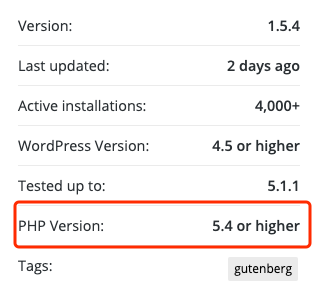
Plugins are a little easier. In the official WordPress plugin directory, the plugin page usually shows the required PHP version in the plugin metadata area, as illustrated below.
Some plugins also check the server’s PHP version at activation time so they can avoid fatal errors when the environment does not meet the requirement.
There is still no especially direct way to inspect MySQL requirements for themes and plugins. Compared with PHP, however, MySQL version mismatches are less likely to trigger an immediate fatal error.
How to find out your PHP and MySQL versions
Ask the hosting provider directly
If you are not sure what PHP and MySQL versions your hosting environment provides, WordPress offers a simple set of requirements that you can send directly to the server provider.
You can ask them something like this:
I need to run the latest version of WordPress on this server. I would like to confirm whether the server supports the following:
1. PHP 7.3 or later
2. MySQL 5.6 or later, or MariaDB 10.0 or later
3. HTTPS support
4. Nginx or Apache with the mod_rewrite module enabled so URL rewriting works correctly
Check inside phpMyAdmin
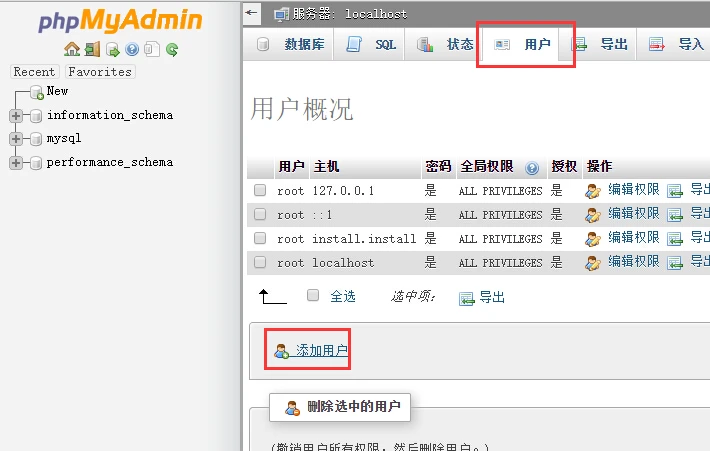
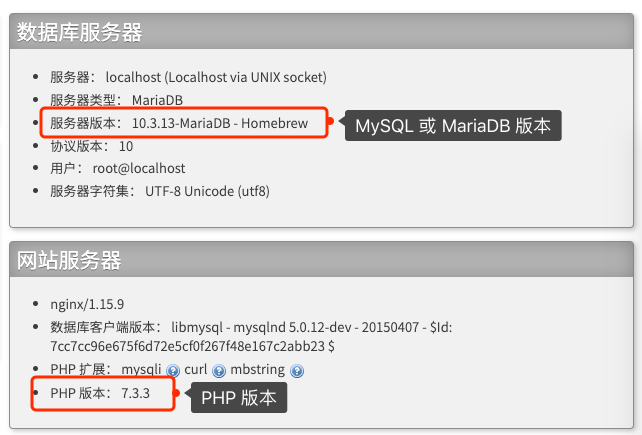
If the hosting environment provides phpMyAdmin, you can also inspect the PHP and MySQL version information there. On the phpMyAdmin home screen, look for the server and PHP information panels shown below.
Update PHP and MySQL or MariaDB in time when possible
Older PHP and MySQL versions can still run WordPress, but from both a security and performance perspective, it is better to upgrade when conditions allow. Newer versions usually bring stronger security, new features, and meaningful performance improvements.
If you are worried about bugs in the newest release, upgrading to the most recent stable previous release is still a reasonable improvement. It is also worth following the official support schedules for PHP, MySQL, and MariaDB.
- PHP version support information
- MySQL and MariaDB version support information